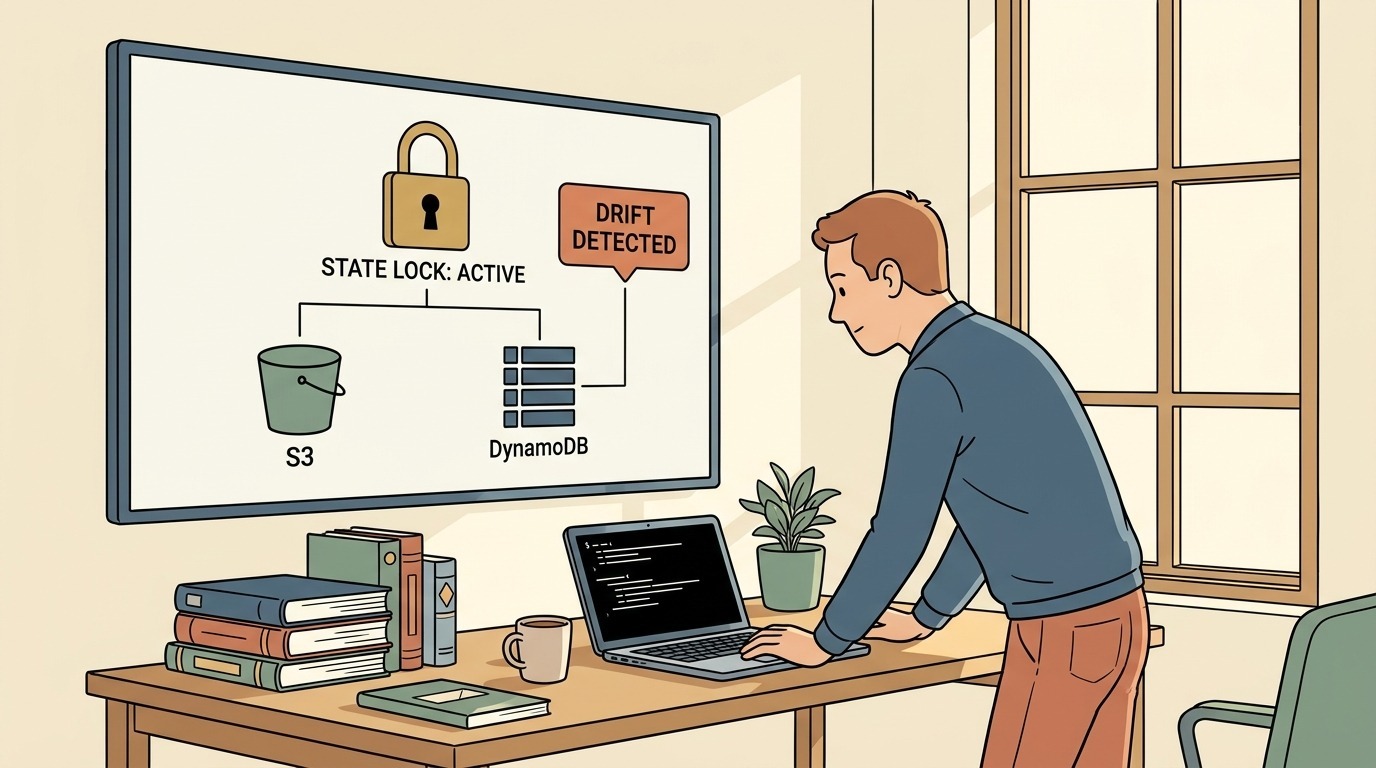
In senior DevOps, Cloud Platform, and Site Reliability Engineering hiring loops, interviewers rarely stop at asking what terraform init or terraform apply does. Instead, they present a live production failure scenario: "Two engineers merged infrastructure pull requests to main within thirty seconds of each other. The first CI runner crashed mid-apply while provisioning an AWS RDS subnet group, leaving a stale state lock behind. Someone manually ran force-unlock and triggered a second pipeline, while an on-call engineer simultaneously edited a security group directly in the AWS console to stop an outage. Now Terraform wants to destroy and recreate your production VPC peering and database replicas. How do you triage the corrupted state, resolve the configuration drift without downtime, and redesign the pipeline so this failure cannot recur?"
Candidates who answer with surface-level command guesses—such as "just delete the state file and re-run apply" or "pass -lock=false to bypass the error"—immediately raise red flags around blast-radius awareness and production safety. Hiring panels use this scenario to test whether an engineer understands Terraform's state graph, distributed lock semantics, atomic state updates, and declarative drift reconciliation.
Mastering the terraform state locking drift devops interview requires breaking down the exact mechanics of remote backends, distinguishing benign refresh differences from destructive state divergence, and following a repeatable incident response playbook under pressure.
Why Terraform State Exists—and Why Concurrency Breaks It
Terraform is a stateful Infrastructure-as-Code (IaC) engine. Unlike stateless templating tools, it maps HCL resource blocks (aws_eks_cluster.prod) to concrete cloud identifiers (arn:aws:eks:us-east-1:123456789012:cluster/prod), tracks dependency graphs, and caches attributes not inferable from HCL alone.
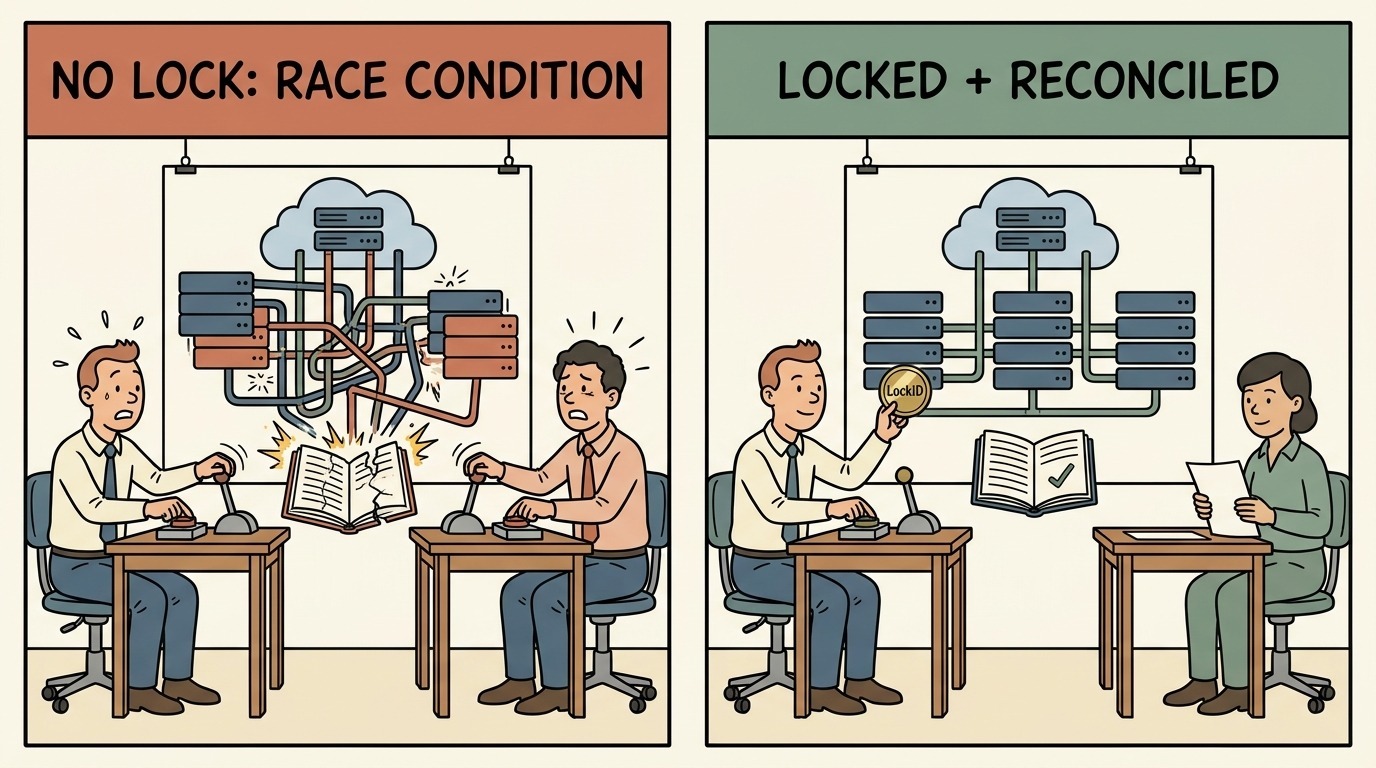
That mapping lives in terraform.tfstate (JSON). When two processes read and write this file concurrently without mutual exclusion, a read-modify-write race condition occurs:
Runner A reads state (rev 42) ──> Provisions Subnet X ──> Writes state (rev 43: +Subnet X)
Runner B reads state (rev 42) ──> Provisions Route Y  ──> Overwrites state (rev 44: +Route Y, Subnet X LOST!)
Once Runner B overwrites rev 43, Subnet X becomes an orphaned cloud resource—consuming IP space and billing—while Terraform believes it never existed. Subsequent runs fail on duplicate CIDR conflicts or attempt to recreate live infrastructure.
State Locking Backends Compared
Interviewers expect candidates to explain how locking works across remote backends:
| Backend | Lock Mechanism | Recovery & Versioning | Interview Trade-Off |
|---|---|---|---|
| AWS S3 + DynamoDB | Conditional PutItem on DynamoDB LockID key | S3 object versioning enables point-in-time state rollback | Legacy standard; requires maintaining a DynamoDB table and lock IAM permissions. |
AWS S3 Native (use_lockfile = true) | Conditional S3 write (If-None-Match: *) creating .tflock (Terraform 1.10+) | S3 versioning protects state without DynamoDB | Removes DynamoDB overhead; signals current Terraform awareness in a devops interview. |
| Google Cloud Storage (GCS) | Object generation preconditions (ifGenerationMatch) | Native GCS object versioning | Zero external lock database; atomic locking built into GCS metadata. |
| PostgreSQL Backend | Session advisory locks (pg_advisory_lock) | Relies on DB backups/WAL | Useful in air-gapped environments, though DB uptime gates deployments. |
| HCP Terraform / Spacelift | Managed run queue with server-side serialization | Immutable state timeline with diffs | Blocks local workstation applies; centralizes RBAC, OPA/Sentinel, and OIDC. |
For deeper cloud IAM and storage fundamentals behind these backends, review these AWS interview questions for cloud engineers.
Production Remote Backend Configuration (HCL Walkthrough)
When an interviewer asks you to write or review a production-grade Terraform backend block, highlight encryption at rest, strict state versioning, and native vs. DynamoDB locking:
terraform {
  required_version = ">= 1.10.0"

  backend "s3" {
    bucket       = "acme-prod-terraform-state-us-east-1"
    key          = "networking/core-vpc/terraform.tfstate"
    region       = "us-east-1"
    encrypt      = true
    use_lockfile = true # Native S3 conditional lock (replaces dynamodb_table in >= 1.10)

    # For Terraform < 1.10, pair with:
    # dynamodb_table = "acme-terraform-state-locks"
  }
}
Three Architectural Guardrails to Mention
- Blast-Radius State Splitting: Never place VPC networking, shared RDS clusters, IAM roles, and microservice workloads inside a single monolithic
terraform.tfstate. Separate state files by failure domain and change velocity (networking/,data-tier/,eks-addons/), consuming cross-layer attributes viaterraform_remote_stateor SSM/Parameter Store lookups. - Per-Workspace Lock Timeout: Always pass
-lock-timeout=5min CI pipelines so transient PR merges queue gracefully rather than failing immediately on lock contention. - Never Commit
.tfstateto Git: State files frequently store sensitive outputs (database passwords, private keys, TLS certs) in plaintext JSON, regardless ofsensitive = trueannotations in HCL.
Anatomy of Infrastructure Drift: Causes and Triage
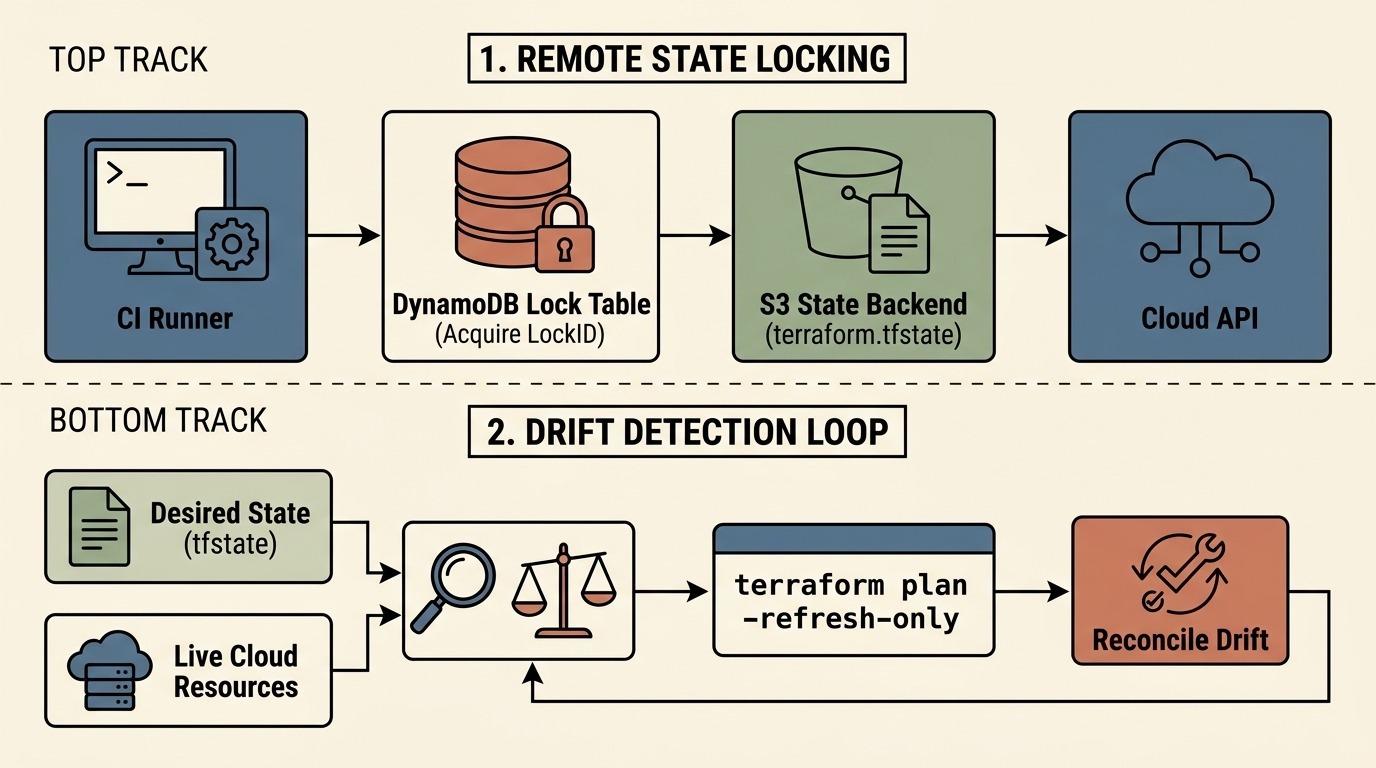
Infrastructure drift occurs when the real-world configuration of live cloud resources diverges from the state declared in HCL and recorded in terraform.tfstate. In production environments, drift almost always stems from one of four sources:
- Emergency Console Hotfixes ("ClickOps"): An engineer widens a security group CIDR or scales an Auto Scaling Group manually during a 2:00 AM outage and forgets to backport the change into Git.
- External Automation Mutating Shared Resources: Kubernetes controllers (such as Cluster Autoscaler or AWS Load Balancer Controller), AWS Config remediation rules, or cloud provider auto-upgrades modify tags, node counts, or target group attachments managed by Terraform.
- Partial Failed Applies: A pipeline terminates mid-run (OOM kill, spot instance eviction, or API rate limit) after creating 4 of 7 resources. Some cloud changes succeeded, while the state write failed or recorded partial resource IDs.
- Module Refactoring Without State Migration: Renaming a resource block or wrapping existing resources inside a
module {}block changes the logical state address (aws_s3_bucket.logsbecomesmodule.logging.aws_s3_bucket.logs). Without explicit migration, Terraform plans to destroy the old resource and create a new one.
Incident Triage Matrix: Safe Recovery vs. Fatal Mistakes
Interviewers grade candidates on whether they can recover from state locks and drift without triggering an outage:
| Failure Scenario | Root Cause | Safe Remediation | Fatal Anti-Pattern |
|---|---|---|---|
| Stale Lock Error | CI runner crashed or lost connectivity before releasing the lock. | Inspect lock metadata (Who, Created, ID), confirm no runner is active, then run terraform force-unlock <ID>. | Passing -lock=false on shared state or forcing unlock during an active apply. |
Corrupted tfstate | Interrupted state upload or conflicting manual push. | Pull current state, restore prior healthy S3 version, then run terraform plan -refresh-only. | Hand-editing state JSON or deleting the state file and re-applying. |
| Console Hotfix Drift | On-call engineer edited live AWS rules during an outage. | Run terraform plan -refresh-only, backport valid changes to HCL, then sync state. | Running terraform apply immediately, reverting the emergency fix. |
| Refactor Destruction | Moving resources into a module changed state addresses. | Add declarative moved { from = ... to = ... } blocks (1.1+) or terraform state mv. | Approving -/+ destroy and recreate on databases or VPCs. |
| Orphaned Resource | Resource created manually or left behind by failed run. | Define matching HCL and use import { to = ... id = ... } (1.5+) or terraform import. | Deleting live production resources just to recreate them via Terraform. |
Step-by-Step Recovery Walkthroughs for Live Interviews
When an interviewer asks "Show me the exact commands you would run", walk through these three production-safe sequences clearly.
1. Safely Clearing a Stale State Lock
Never jump straight to force-unlock. First verify the lock owner and confirm no runner is mid-flight:
# Step 1: Attempt a read-only plan to inspect the Lock Info output
terraform plan
# Output shows:
#   ID:        8f3c9a12-4b7e-4c1a-9f2d-112233445566
#   Path:      acme-prod-terraform-state/networking/core-vpc/terraform.tfstate
#   Operation: OperationTypeApply
#   Who:       github-runner-42@ci-prod
#   Created:   2026-11-17 02:14:09 UTC

# Step 2: Confirm in GitHub Actions / GitLab CI that runner-42 is dead/terminated
# Step 3: Release only the exact Lock ID
terraform force-unlock 8f3c9a12-4b7e-4c1a-9f2d-112233445566

# Step 4: Inspect partial state and live resources without mutating infrastructure
terraform plan -refresh-only
2. Reconciling Console Drift Without Reverting an Outage Fix
Suppose an on-call engineer manually added port 8443 to an application load balancer security group during an incident. A naive terraform apply would delete rule 8443 and break production again. Instead:
- Snapshot the state first:
terraform state pull > pre-reconcile-backup.json - Detect exact drift without modifying live cloud APIs:
terraform plan -refresh-only - Adopt the valid fix in HCL: Add the
ingressrule for port8443into your.tffile and open a pull request so Git remains the source of truth. - Update state cleanly: Run
terraform apply -refresh-onlyto record the live cloud state intoterraform.tfstate, then runterraform planto confirmNo changes. Your infrastructure matches the configuration.
3. Zero-Downtime Refactoring with moved and import Blocks
Modern Terraform interviews reward candidates who prefer declarative HCL blocks over imperative CLI state surgery, because HCL blocks are peer-reviewed in pull requests and repeatable across environments (dev, staging, prod).
# Declarative refactor: move existing VPC resource into a reusable module without destruction
moved {
  from = aws_vpc.main
  to   = module.core_network.aws_vpc.main
}

# Declarative import: bring a manually created RDS parameter group under Terraform management
import {
  to = aws_db_parameter_group.pg16_tuned
  id = "prod-pg16-custom-params"
}
Just like managing declarative Kubernetes overlays in our Helm vs Kustomize deployment guide, keeping state migrations declarative inside Git eliminates hidden tribal knowledge.
Preventing Drift and Lock Contention at Scale
Once you solve the immediate incident in an interview, senior and staff panels always pivot to prevention: "How do you architect your CI/CD platform so a junior engineer cannot corrupt state or leave silent drift unnoticed?"
- Enforce Remote Execution and PR Locking: Tools such as Atlantis, Spacelift, Env0, or HCP Terraform acquire a pull-request-level lock before
planand serializeapplydirectly from the CI runner via short-lived OIDC tokens—removing local developer AWS credentials (iam:PassRoleor S3 state write access) entirely. - Scheduled Drift-Detection Pipelines: Run a read-only
terraform plan -detailed-exitcode -refresh-onlycron workflow every 4 to 6 hours against production workspaces. Exit code2indicates drift and routes an automated Slack or PagerDuty alert to the owning platform squad before the next deployment compounds the divergence. - Separate Mutable Runtime Fields with
lifecycle: When Kubernetes autoscalers or external controllers legitimately manage attributes likedesired_capacityor dynamictags, declareignore_changesexplicitly so Terraform stops fighting external control loops:lifecycle { ignore_changes = [scaling_config[0].desired_size] prevent_destroy = true } - Pair IaC Guardrails with Service Control Policies (SCPs): Restrict console write permissions in production AWS accounts using IAM permission boundaries or AWS Organizations SCPs, forcing emergency break-glass changes through audited temporary roles that automatically trigger post-incident IaC reconciliation tickets.
For broader strategies on structuring your overall complete guide to technical interview prep roadmap across infrastructure and coding loops, align your practice around failure domains rather than rote syntax.
Interview Evaluation Rubric: Junior vs. Senior vs. Staff
| Seniority Level | Expected Signals | Common Red Flags |
|---|---|---|
| Junior / Mid-Level | Explains remote state vs. local files, why state locks prevent concurrent writes, and basic terraform import / plan. | Recommends -lock=false, commits .tfstate to Git, or misses module rename destruction risk. |
| Senior Engineer | Contrasts DynamoDB LockID vs. native S3 use_lockfile, triages drift with -refresh-only, and uses moved {}, import {}, and prevent_destroy. | Runs force-unlock blindly without checking active jobs, keeps monolithic state, or cannot restore S3 state versions. |
| Staff / Principal | Splits state by blast radius, enforces PR-serialized OIDC runners, and pairs scheduled -detailed-exitcode drift checks with IAM/SCP guardrails. | Treats Terraform purely as a CLI tool and ignores how emergency incident response interacts with IaC reconciliation. |
Three High-Frequency Terraform Production Roleplay Prompts
Practice answering these realistic panel prompts out loud before your next interview:
- The Split-Brain Runner Crash: "A CI runner holding a production state lock was terminated by a spot-instance interruption mid-apply while creating a NAT Gateway. Walk through your exact commands from
Error acquiring the state lockuntil the pipeline is green." - The Silent Drift Bomb: "Three production RDS parameter groups were edited in the console two months ago. Today, an unrelated S3 bucket PR plans to reboot the RDS instance. How do you decouple the change, reconcile drift, and guarantee zero downtime?"
- The Monolithic State Bottleneck: "Twenty squads share one 14,000-line
terraform.tfstatefile, causing 25-minute applies and constant PR lock contention. Design a zero-downtime migration plan to split this state safely."
If you hit an unfamiliar cloud edge case during a live loop, use the structured fallback tactics in when you don't know the answer in an interview to reason from first principles.
Practice DevOps & IaC Incident Interviews Under Pressure
Reading state recovery commands is straightforward when nothing is broken; walking a skeptical staff engineer through a live lock-corruption triage in real time is far harder.
Test your DevOps and Cloud Architecture reflexes right now with the 60-Second Job Blitz—rapid-fire technical interview questions across DevOps, SRE, Cloud, and Backend Engineering with zero login required. When you are ready for full voice-interactive mock interviews tailored directly to your target job description, explore totop.app pricing to start practicing with Socratic AI feedback and seniority-calibrated scoring rubrics.
Practice DevOps Specialist Questions Live with AI Mock Interviews
Turn any job description across Engineering, DevOps, Data, Marketing, Sales, Finance, or HR into a personalized test and live voice or text AI mock interview on totop.app, or test your speed right now in the 60-Second DevOps Specialist Blitz.
Play 60s DevOps Specialist Blitz (Free, No Login) | Start 14-Day Free Trial | Browse All Interview Guides