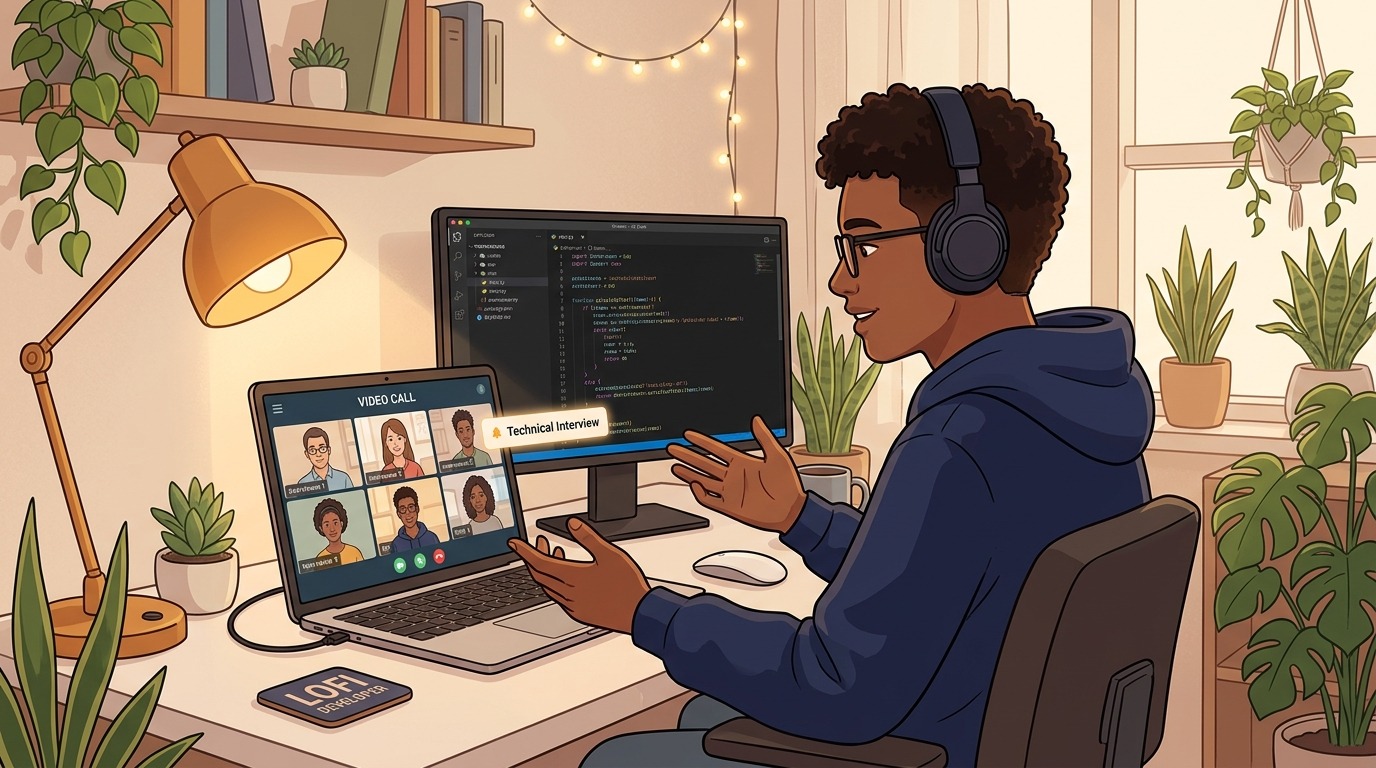
The traditional whiteboard interview—where candidates stood markers-in-hand sketching linked lists on an office wall—has almost completely transformed. Over the past several years, the engineering screening gauntlet permanently shifted to distributed screens. Today, whether you are interviewing with a global tech giant or an agile seed-stage startup, your first major hurdle is almost certainly a 45- to 60-minute virtual technical screen conducted over Zoom, Google Meet, and a browser-based collaborative coding environment like CoderPad or CodeSignal.
While virtual interviews eliminate travel stress and allow you to code on your familiar keyboard, they introduce a distinct set of subtle challenges. Remote interviews strip away 80% of physical body language. Micro-delays in audio can turn lively technical banter into awkward crosstalk. A cluttered screen share can distract an interviewer, and long bouts of silence feel twice as agonizing over a webcam.
Succeeding in this format requires more than memorizing algorithms from our comprehensive guide to technical interview prep. It demands deliberate environmental preparation, screen discipline, and a calibrated communication cadence.
In this guide, we break down actionable remote technical interview tips designed to help every software developer optimize their digital setup, communicate complex logic across a screen, and turn the virtual format into an unfair competitive advantage.
1. Hardware, Lighting, and Audio Hygiene
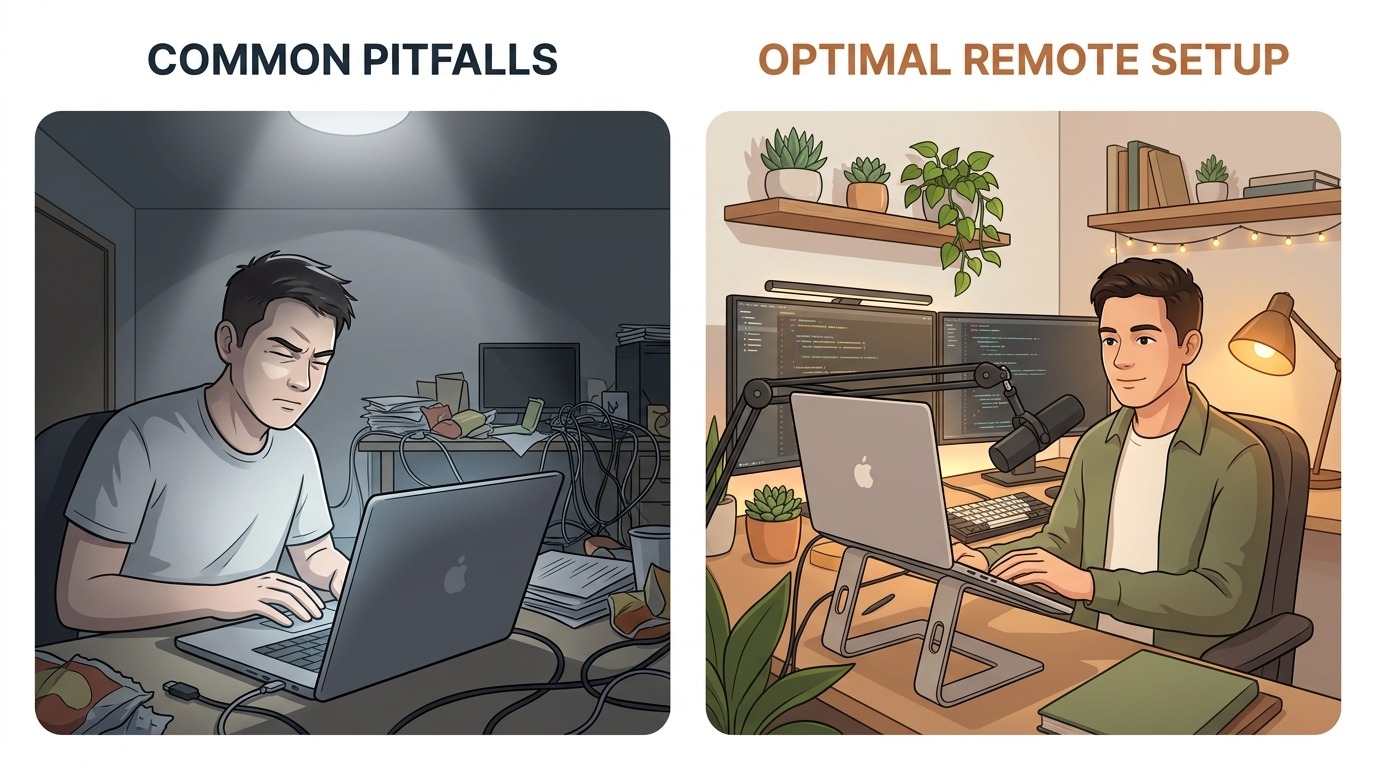
In a physical room, minor acoustic flaws or bad lighting rarely derail a conversation. In a virtual interview, poor audio and visual friction directly drain an interviewer's cognitive battery. If an interviewer struggles to hear your explanation or strains to read your shared screen, their subconscious evaluation of your senior communication skills drops before you write your first line of code.
Audio Is 80% of Your Impression
Never rely on your laptop’s built-in microphone. Built-in mics pick up keyboard clatter, echo off bare walls, and flatten your vocal timbre.
- Use a dedicated microphone: A basic USB dynamic or cardioid condenser microphone placed on a boom arm or desk stand delivers crisp, warm voice presence.
- Wear headphones: Over-ear or discreet in-ear monitors prevent your interviewer’s voice from feeding back into your microphone, eliminating subtle acoustic echo cancellation artifacts.
- Enable crisp noise suppression: Toggle background noise suppression in your meeting software or operating system to eliminate fan noise, street traffic, or AC hum.
Camera Framing and Eye Contact
Eye contact over video calls is counter-intuitive: looking at your interviewer's face on your screen means looking away from your camera lens.
- Elevate your camera to eye level: Avoid the unflattering "nostril-cam" angle caused by laptops resting flat on low desks. Prop your laptop on a stand or monitor riser so the lens aligns with your eyebrow line.
- The window placement trick: Shrink the video call window and place it directly underneath your physical webcam. When you look at the interviewer's face, your gaze naturally stays within a few degrees of the camera lens, giving the impression of direct eye contact.
- Diffuse, front-facing light: Ensure your primary light source sits behind your monitor and illuminates your face. Never sit with an uncovered window directly behind your back, which turns you into a shadowy silhouette.
2. Desktop Hygiene and Shared Screen Preparation
Few moments induce more anxiety than sharing your screen and accidentally displaying personal Slack chats, open job search tabs, or confidential company repositories. Screen sharing requires intentional operational discipline.
Single-Window vs. Full Desktop Sharing
Whenever possible, share only the specific browser window or IDE dedicated to the interview. If the interview format requires switching between a browser sandbox, terminal, and local documentation, create a clean, dedicated virtual desktop:
- Close all messaging clients: Quit Slack, Discord, WhatsApp, Telegram, and email clients completely rather than merely minimizing them.
- Turn on 'Do Not Disturb': Disable system-level banner notifications on macOS or Windows.
- Hide the bookmark bar and clean tabs: Keep only relevant resources open (such as language documentation or company links).
- Bump up your editor font size: What looks comfortable on a 27-inch 4K monitor is often unreadable on an interviewer’s 13-inch laptop screen. Increase your editor font size to at least 18px or 20px so your code is legible at a glance.
# Quick checklist before hitting "Join Meeting"
- [ ] Laptop plugged into continuous AC power (never run on battery alone)
- [ ] Hardwired Ethernet connected, or seated close to 5GHz Wi-Fi router
- [ ] System notifications silenced (macOS Focus / Windows DND)
- [ ] IDE / Browser tab zoomed to 125% - 150% font size
- [ ] Clean scratchpad document open for notes and constraints
3. The Virtual Communication Blueprint
The single biggest reason qualified engineers fail remote screens is the "silent coding trap." In person, an interviewer can see you furrow your brow, write a quick margin note, or sketch a diagram. Over video, three minutes of silence feels like thirty minutes of dead air. The interviewer cannot tell whether you are making steady progress, panicking, or completely lost.
To prevent disconnects, adopt a structured four-phase communication framework for every virtual coding prompt:
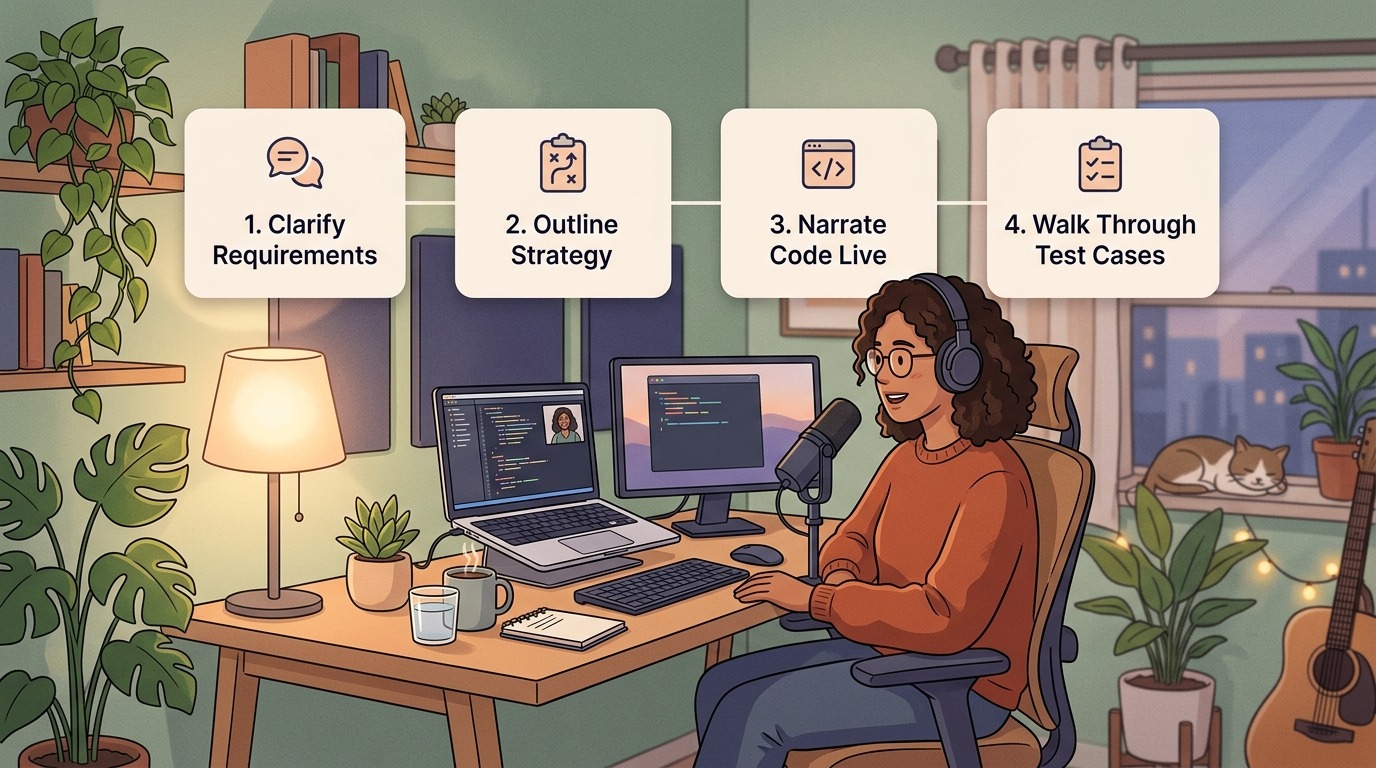
Step 1: Clarify and Document Constraints in Code Comments
When the interviewer finishes reading the problem, resist the urge to jump into implementation. Instead, use the collaborative editor as a digital whiteboard. Type the constraints directly into the editor header as comments:
// Problem: Find the median of two sorted arrays in O(log(min(n, m))) time.
// Constraints & Assumptions:
// - Can either array be empty? (Confirmed: yes, but not both simultaneously)
// - Are elements strictly integers, or can floating points appear? (Confirmed: integers)
// - Memory constraints: O(1) auxiliary space preferred
// - Target Complexity: O(log(n + m)) time, O(1) space
Writing out constraints demonstrates senior engineering rigor. It guarantees you and your interviewer share the exact same mental model before writing algorithmic logic.
Step 2: Pitch the Strategy Before Writing Code
Never write code until your interviewer gives explicit verbal assent on your high-level approach. Outline your proposed solution in two sentences:
"My first thought is a brute-force merge which would take O(n + m) time and memory. However, because both input lists are already sorted, we can use binary search across the smaller array partitions to locate the exact median cut point in O(log(min(n, m))) time. Would you like me to code the binary search approach, or should I walk through an example array first?"
This collaborative checkpoint ensures you never spend twenty valuable minutes implementing an approach the interviewer considers suboptimal. If you're navigating structural differences between hiring expectations, consider how startup vs enterprise technical interviews value raw speed versus rigorous edge-case planning.
Step 3: Narrate Your Code Live
As your fingers hit the keys, keep up a running monologue. Explain why you are making specific design decisions, not just what syntax you are typing:
- Say: "I'm initializing a left and right pointer here to establish our search window on array A."
- Say: "I'm intentionally using floor division here to guard against integer overflow in languages with fixed word sizes."
If you need a moment to think through complex logic, announce it explicitly: "I'm going to take thirty seconds of quiet to verify this boundary condition before writing the while loop." Announcing your silence keeps the interviewer looped into your thought process.
Step 4: Step Through Test Cases Manually
Once the code is written, do not rush to click "Run Code" or announce that you are done. In professional engineering, shipping unverified code is a red flag. Step through your logic line-by-line using comments to track variable state:
# Trace walkthrough:
# nums1 = [1, 3], nums2 = [2]
# partitionX = 1, partitionY = 1
# maxLeftX = 1, minRightX = 3
# maxLeftY = 2, minRightY = infinity
# Condition: maxLeftX <= minRightY (1 <= inf: True) and maxLeftY <= minRightX (2 <= 3: True)
# Correct cut found! Returns max(1, 2) = 2
Walking through test cases manually catches boundary errors, off-by-one bugs, and null pointer exceptions before the automated compiler ever runs, showing tremendous developer maturity.
4. Troubleshooting Virtual Emergencies Gracefully
Even with meticulous preparation, technical glitches will happen. Internet connections fluctuate, collaborative editors disconnect, and complex algorithmic questions can stall your momentum. What separates amateur candidates from seasoned professionals is how they manage unexpected friction.
If Your Internet Drops or Audio Cuts Out
- Stay calm and reconnect immediately: Do not apologize profusely or spiral into panic. Glitches happen to everyone.
- Have your phone ready as a backup hotspot: If your home broadband fails, switch your laptop Wi-Fi to your cellular hotspot within sixty seconds.
- Send a quick message via your recruiter or platform chat: If you get disconnected for more than two minutes, drop a brief email or message: "Experiencing a temporary network reconnect—rejoining in 60 seconds."
- Resume with poise: When you rejoin, take one deep breath and recap where you were: "Apologies for the brief network hiccup! We were just verifying the termination condition on line 24. Let's continue."
If You Hit a Complete Algorithmic Wall
If you find yourself paralyzed and unsure how to proceed, do not freeze in front of the camera. Deconstruct the problem out loud. Interviewers often drop gentle nudges or hints when they see a candidate struggling constructively.
Review our in-depth blueprint on how to handle not knowing the answer gracefully to discover how to pivot to first principles, isolate sub-problems, and solicit interviewer guidance without sacrificing competence. You can also leverage the five-minute rule for quick interview responses to prevent getting bogged down in minor syntax details.
If you are dealing with tricky conceptual questions, familiarizing yourself with deceptive interview questions that trip up senior engineers and mastering behavioral interview questions for software engineers will give you the situational poise needed to steer any difficult question back to safe ground.
5. The Pre-Screen 15-Minute Launchpad Checklist
To ensure your virtual interview goes off without a hitch, run through this standardized fifteen-minute pre-flight checklist before every technical screen:
| Timing | Action Item | Verification Objective |
|---|---|---|
| T-15 min | Hardware & Lighting Check | Turn on key light, position camera at eye level, confirm mic input levels in system settings. |
| T-10 min | Workspace & Browser Reset | Close Slack, email, and social apps. Launch a clean browser window with only the interview link. |
| T-7 min | Code Editor Font Scaling | Set editor zoom to 125% (Cmd/Ctrl + '+'). Test a 3-line dummy function to check syntax highlighting. |
| T-5 min | Hydration & Bio Break | Pour a fresh glass of water. Keep a physical notepad and pen beside your keyboard. |
| T-2 min | Physiological Grounding | Take three slow, deep diaphragmatic breaths to reset your heart rate and settle pre-interview nerves. |
| T-0 min | Join Link | Connect exactly one minute early to handle any sudden browser permission prompts. |
Practice Virtual Interviews Under Realistic Conditions
Reading interview guides is an essential foundation, but verbalizing code under the clock requires muscle memory. You cannot build genuine confidence by passively reading solutions or silently solving challenges in isolation.
At totop.app, our AI-powered mock interview platform lets you simulate real-time virtual technical screens whenever you want. Practice answering realistic coding prompts, articulate your architectural decisions, and receive instant, objective feedback on your pacing, communication clarity, and technical correctness.
Treat every virtual technical screen as a collaborative pairing session between two engineering peers. Optimize your digital environment, share your thought process clearly, and you will stand out in any hiring manager's virtual pipeline.
Practice Full Stack Engineer Questions Live with AI Mock Interviews
Turn any job description across Engineering, DevOps, Data, Marketing, Sales, Finance, or HR into a personalized test and live voice or text AI mock interview on totop.app, or test your speed right now in the 60-Second Full Stack Engineer Blitz.
Play 60s Full Stack Engineer Blitz (Free, No Login) | Start 14-Day Free Trial | Browse All Interview Guides