Building a Portfolio That Gets You Interviews
If you have spent any time browsing developer Twitter, Reddit, or YouTube over the past two years, you have seen the standard advice: "Build projects! Put them on GitHub! Deploy them so recruiters can click them!"
So you roll up your sleeves, follow a tutorial on Udemy or YouTube, deploy a responsive weather app, a full-stack e-commerce store with Stripe test mode, and a Kanban board clone. You polish your personal site, embed crisp screenshots, paste your GitHub links into your resume, and submit eighty applications.
Then comes the radio silence.
No recruiter emails. No technical phone screens. Not even a rejection email with feedback—just an automated ATS bounce three weeks later.
Here is the uncomfortable truth: most developer portfolios do not get people hired. In fact, most developer portfolios do not even get clicked. And when a technical screener or engineering manager finally does click through, the generic cookie-cutter code they see often hurts the applicant's chances more than having no portfolio at all.
When you master building a portfolio that gets you interviews, your portfolio stops functioning as a museum of tutorial homework and becomes an undeniable proof-of-work engine that forces hiring managers to pause, explore your architecture, and book an introductory call.
Why 95% of Developer Portfolios Get Ignored
To build something that grabs attention, you first need to understand how technical hiring actually works behind the scenes.
The "Tutorial Clone" Trap
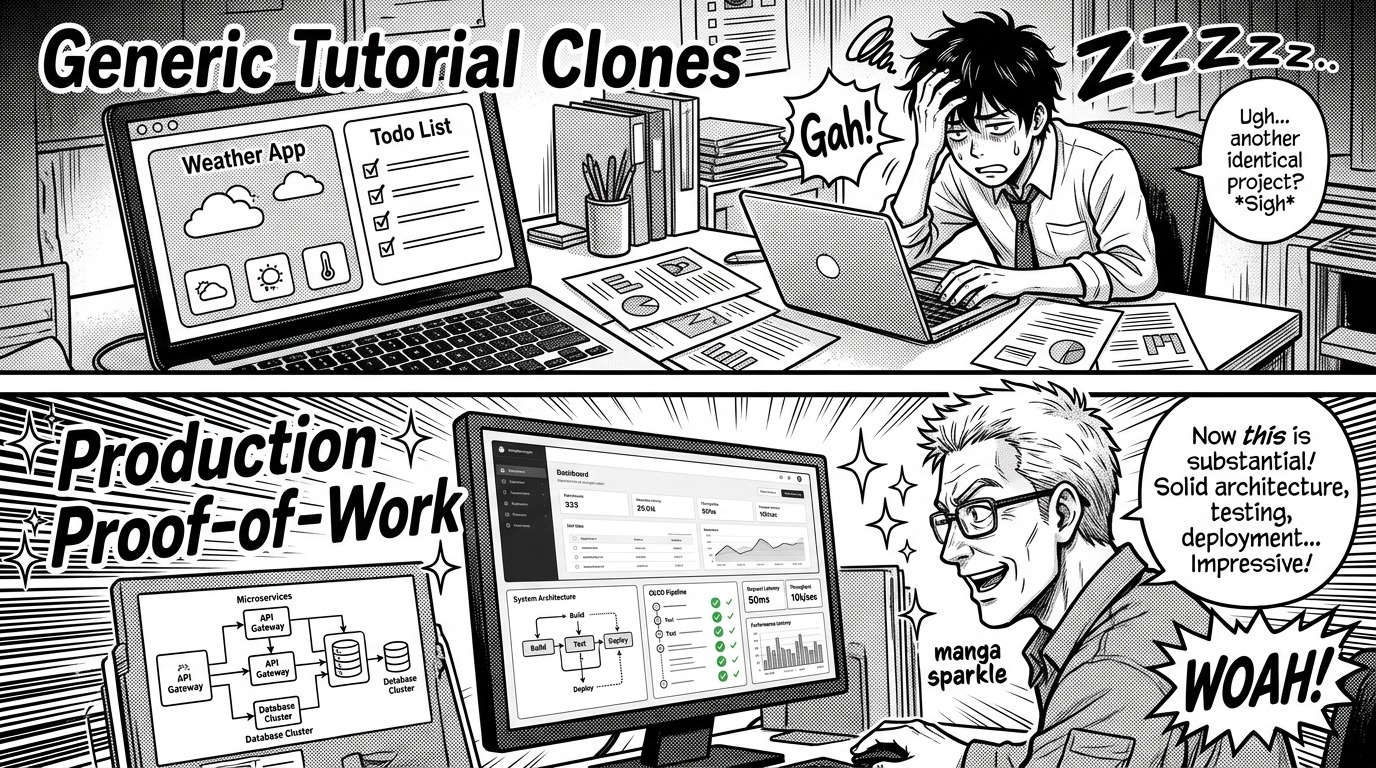
Engineering managers and senior tech leads review dozens—sometimes hundreds—of candidate profiles every hiring cycle. By the tenth resume of the day, an unmistakable pattern emerges:
- Project 1: A MERN-stack Todo list or task tracker with JWT authentication.
- Project 2: A weather app calling the OpenWeatherMap API with Tailwind styling.
- Project 3: A Netflix, Spotify, or Airbnb frontend clone copying UI layout without any real backend business logic.
When an interviewer sees these projects, their immediate takeaway is: "This candidate can follow instructions step-by-step from a video tutorial, but can they diagnose an intermittent race condition or evaluate database indexing strategies when requirements change?"
Tutorial projects demonstrate syntax familiarity, but they fail to prove software engineering competence. If you are already wrestling with non-traditional qualifications, learning how to stand out without a cs degree requires replacing passive tutorial replication with proactive engineering problem-solving.
The 30-Second Hiring Manager Scan
Recruiters spend roughly 6 to 8 seconds scanning a resume. Technical leads spend 30 to 60 seconds reviewing a candidate's portfolio site if the resume passes the first filter. In that window, reviewers look for three immediate signals:
- Is the application actually live and responsive? If a demo link throws a
502 Bad Gatewayor takes 45 seconds to spin up on a free-tier server with zero loading skeleton, the reviewer closes the tab immediately. - Can I immediately grasp what this system does and why it was built? If the homepage is buried beneath abstract 3D animations and spinning particle effects with zero explanation of domain value, the reviewer bounces.
- Is the source code clean, intentional, and tested? A single repository featuring structured commits, Docker configurations, and automated integration tests commands vastly more respect than five unmaintained repositories titled
my-react-app.
The "Proof-of-Work" Framework: Quality Over Quantity
The strongest candidates do not showcase seven mediocre projects. They showcase two flagship systems that reflect real engineering trade-offs.
The Rule of Two Core Projects
Instead of spreading your energy thin across four different toy applications, concentrate your efforts on two distinct, deeply architected projects:
- The Domain-Specific Flagship: A full-stack or backend-heavy application solving a realistic, domain-specific problem with persistent data, asynchronous processing, and measurable performance goals.
- The Systems or Tooling Project: An open-source package, a high-performance CLI utility, an algorithmic visualizer, or an infrastructure automation tool that demonstrates deep mastery of programming fundamentals and developer ergonomics.
Even if you have works-in-progress, learning how to talk about projects you havent shipped yet enables you to present architecture design documents, technical trade-offs, and partial prototypes with absolute confidence.
Anatomy of an Irresistible Flagship Project
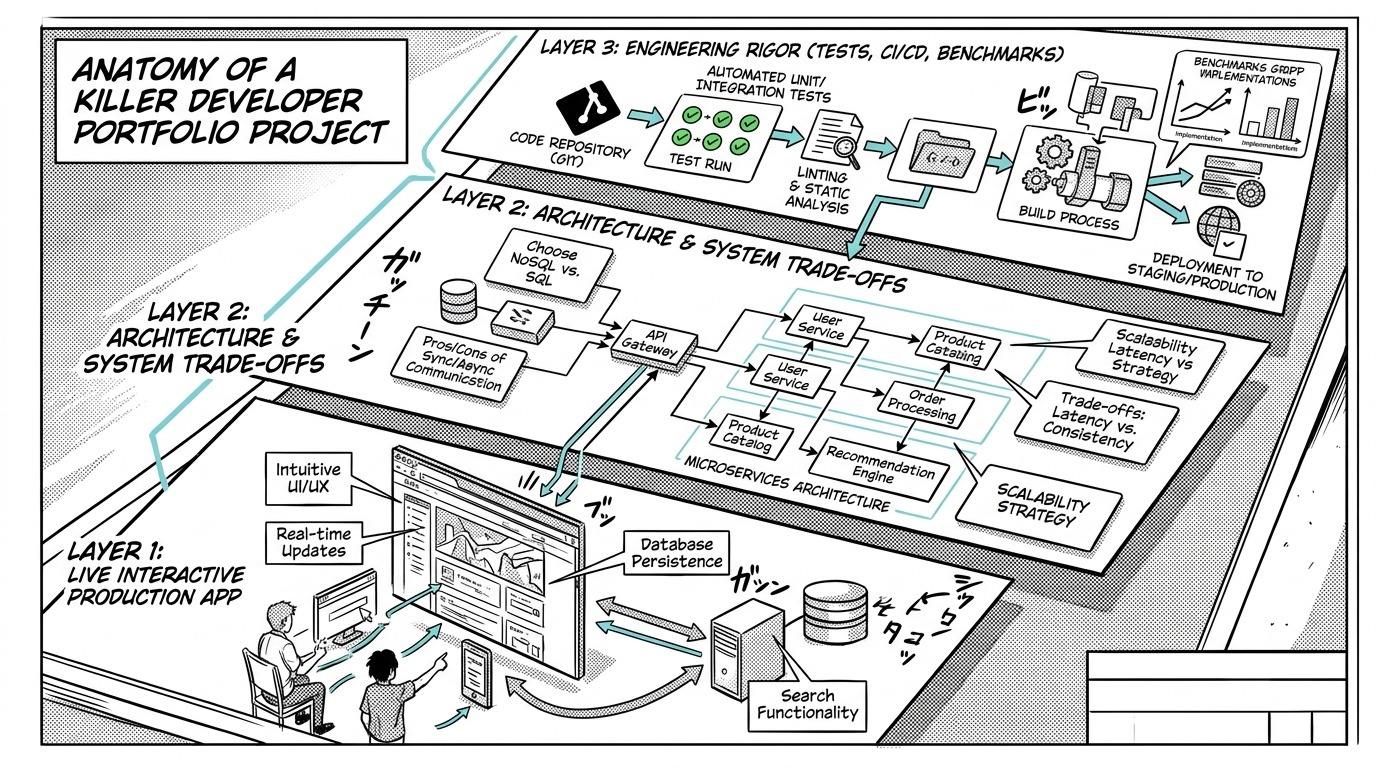
What transforms a standard web app into an irresistible portfolio piece? Every standout project implements three distinct structural layers:
| Project Layer | What Average Portfolios Show | What Standout Portfolios Show |
|---|---|---|
| Layer 1: User Experience | Basic CRUD form with plain CSS alerts and default spinners | Resilient UI with optimistic updates, accessible keyboard navigation, and seamless error recovery |
| Layer 2: Architecture | Monolithic server file dumping all routes and database queries together | Clean layered architecture separating controllers, services, repositories, and data models |
| Layer 3: Engineering Rigor | No tests, git commit -m "update", local environment only | Automated CI/CD pipelines, unit/integration test suites, containerization, and benchmark metrics |
Three Project Ideas That Instantly Prove Seniority
If you are wondering what projects actually command attention, avoid generic e-commerce templates and consider building one of the following architectural patterns:
1. The High-Throughput Event Ingestion Pipeline
Instead of a standard CRUD API, build an analytics or event-tracking ingest service that handles bursty write traffic without degrading.
- The Problem: Incoming webhook notifications or client analytics events arrive faster than the relational database can persist them during traffic spikes.
- The Architecture: An API gateway built in Go or Node.js buffers incoming JSON payloads into a message queue (such as Redis Streams, RabbitMQ, or Apache Kafka). A pool of asynchronous background worker processes batches database writes and updates materialized counter views.
- Engineering Trade-offs to Document:
- Why queue buffering was chosen over synchronous database transactions.
- How the worker pool handles dead-letter queues, exponential backoff, and duplicate event deduplication.
- Stress-test benchmarks showing sustained throughput (e.g., 2,500 requests per second at p99 latency < 45ms) using tools like
k6orautocannon.
// Example: Asynchronous batch queue worker with backoff and deduplication
class EventBatchProcessor {
  constructor(queue, db, options = {}) {
    this.queue = queue;
    this.db = db;
    this.batchSize = options.batchSize || 100;
    this.flushIntervalMs = options.flushIntervalMs || 1000;
    this.buffer = [];
    this.timer = null;
  }

  async push(event) {
    // Deduplication check using unique idempotent key
    if (await this.isDuplicate(event.idempotencyKey)) {
      return { status: 'skipped', reason: 'idempotent_duplicate' };
    }

    this.buffer.push(event);
    if (this.buffer.length >= this.batchSize) {
      await this.flush();
    }
    return { status: 'buffered' };
  }

  async flush() {
    if (this.buffer.length === 0) return;
    const batch = this.buffer.splice(0, this.batchSize);

    try {
      await this.db.bulkInsert('analytics_events', batch);
    } catch (err) {
      // Re-queue or route to dead-letter queue based on retry policy
      await this.handleFailedBatch(batch, err);
    }
  }
}
2. The Offline-First Synchronized Web Application
Modern engineering teams value developers who understand data synchronization, conflict resolution, and client-side storage mechanics.
- The Problem: Users need to inspect and modify hierarchical data (like a technical document editor or inventory tracker) while transitioning across spotty network connections.
- The Architecture: A browser client leveraging IndexedDB for instant optimistic reads and writes, paired with a web worker that synchronizes local mutation logs against a remote server using conflict-free replicated data types (CRDTs) or Last-Write-Wins timestamps.
- Engineering Trade-offs to Document:
- Network state detection and background reconnection strategies.
- Resolving conflicting concurrent edits when two disconnected sessions mutate the same resource.
- Maintaining low memory overhead in client-side storage.
3. The Developer Tooling CLI with Real Package Registry Distribution
Building developer tools is one of the fastest ways to prove technical maturity because the consumers of your project are software engineers themselves.
- The Problem: Automating code migrations, auditing configuration drift across monorepos, or generating mock API responses from OpenAPI specs.
- The Architecture: A compiled Rust, Go, or TypeScript CLI distributed via npm, Homebrew, or Cargo. The tool includes interactive terminal UI prompts, streaming file diffs, and configurable JSON/YAML outputs.
- Engineering Trade-offs to Document:
- Memory consumption when parsing massive multi-gigabyte source trees.
- Cross-platform file path resolution and terminal escape sequence compatibility across Linux, macOS, and Windows.
- Automated release pipelines using GitHub Actions to publish tagged semantic version releases with automated changelogs.
How to Document Projects So Reviewers Actually Read Them
The code in your repository is only half the battle. Your README is your sales pitch, your technical specification, and your interview preview all rolled into one.
The 5-Part README Formula
Every project in your portfolio should adhere to a clear, executive-friendly structure:
- Problem Statement & High-Level Solution (2-3 Sentences): State exactly what real-world problem this system solves and who it is for.
- Interactive Demo Link & Credentials: Provide a direct URL to the live deployment, accompanied by one-click demo credentials so the reviewer never has to undergo a tedious registration flow.
- Architecture Diagram: A clean system diagram showing how clients, servers, background workers, and databases interact.
- Key Technical Trade-offs & Decisions: Bullet points explaining why specific technologies and patterns were chosen over popular alternatives.
- Local Setup & Automated Test Instructions: Simple, reproducible steps (preferably
docker compose up) that spin up the entire application locally within two minutes.
Live Demos That Never Break
Nothing ruins a portfolio faster than broken images, expired SSL certificates, or crashing API endpoints:
- Seed Deterministic Mock Data: Ensure your live environment always has realistic, interesting data populated. An empty dashboard with five zeroes looks abandoned.
- Add a "Reset to Default State" Cron Job: If your application allows external users to create, update, or delete records, schedule an automated nightly cron job that purges garbage data and re-seeds pristine demo records.
- Use Warm-Up Endpoints: If you deploy your backend on free-tier serverless services that sleep after inactivity, implement a subtle frontend status badge showing "Warming up backend services (approx. 15s)..." so visitors know the system is active rather than broken.
Connecting Your Portfolio Directly to the Technical Interview
The ultimate objective of building a portfolio that gets you interviews is transforming your portfolio into a conversational magnet during live rounds.
Steering the Conversation Toward Your Strengths
In a typical technical screen, the interviewer often opens with an open-ended question: "Tell me about a complex project you built recently."
Unprepared candidates summarize feature lists: "I built an app where users log in and create posts." This prompts the interviewer to switch immediately into generic algorithmic quizzing.
Prepared candidates pivot directly to architectural depth:
"In my analytics event pipeline project, the core challenge was preventing database thread pool exhaustion during bursty traffic spikes. I evaluated synchronous batching versus an asynchronous Redis Streams queue. By decoupling ingestion from persistence, the system sustained over 2,000 writes per second while keeping API latency under 40 milliseconds. Would you like me to walk through how I structured the worker failure recovery mechanism?"
By framing your answer around throughput, latency, and failure modes, you guide the interviewer to discuss the very architecture you designed, tested, and documented. For candidates transitioning into the field, coupling this strategy with our bootcamp to first dev job interview survival guide provides an end-to-end roadmap from application to offer.
Handling Uncomfortable Gaps and Tough Questions
Reviewers will occasionally ask probing questions about why certain features are missing or why a particular design decision was made. If you took time away from the industry to build your portfolio, review our guide on how to explain a gap in your resume during tech interviews to frame that period as an intentional season of skill development and project engineering.
Furthermore, if an interviewer spots a bug in your live demo or asks about an edge case you hadn't anticipated, keep your composure. Knowing when you don't know the answer and how to handle it gracefully turns an unexpected snag into a powerful demonstration of intellectual honesty and collaborative debugging.
To master complex discussions around scaling databases, distributed caches, and microservices trade-offs, explore our deep-dive on system design interview preparation.
Portfolio Review Checklist
Before sending out your next batch of applications, audit your portfolio against this checklist:
- Focused Scope: Do you showcase 2 to 3 high-impact projects instead of 8 generic tutorial clones?
- Frictionless Demo: Can an engineering lead test the live application in one click without creating a personal account?
- Clear Domain Context: Does the landing page explain the business or technical purpose within five seconds?
- Documented Trade-offs: Does each repository README clearly explain why specific technologies were chosen over alternatives?
- Engineering Quality: Are automated tests, linters, and clear Git commit histories present and visible?
- Production Readiness: Are environment variables protected, credentials scrubbed, and demo databases automatically maintained?
Practice Defending Your Architecture Out Loud
Architecting a standout portfolio project proves you can write code. But securing the job offer requires proving you can defend your architectural decisions out loud under pressure.
Interviewers will ask:
- "Why did you choose PostgreSQL over MongoDB for this data model?"
- "What happens if this worker node crashes halfway through processing a batch?"
- "How would this system behave if your read-to-write ratio shifted from 1:1 to 100:1?"
If you stumble over these answers, your portfolio's impact evaporates.
Take your preparation beyond static code. On totop.app, you can run realistic, AI-powered mock interviews tailored specifically to your target roles and technical stack. Practice articulating trade-offs, answering deep-dive system design inquiries, and receiving actionable feedback in real time—so when the hiring manager asks about your portfolio, your answers are crisp, confident, and unforgettable.