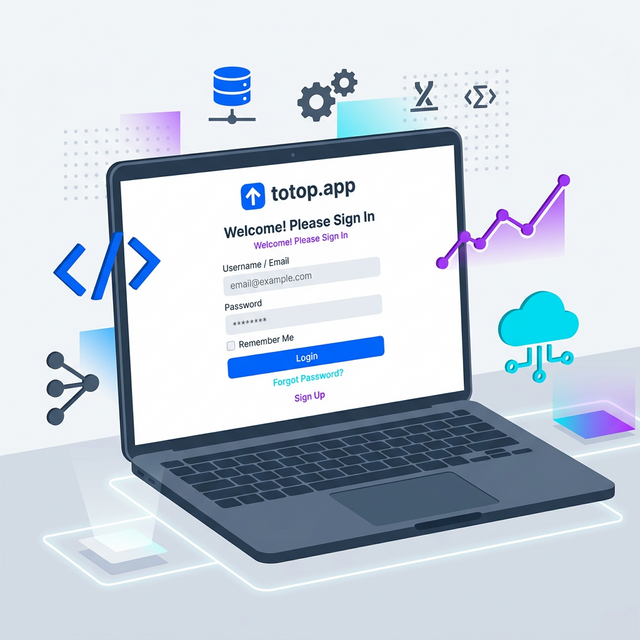
Welcome to totop.app, the streamlined platform designed to get you from open position to hired faster than ever.
In this quick video guide, we'll walk you through the simple registration process so you can start practicing and preparing for your next technical interview right away.
Watch the Registration Guide
Why Join totop.app?
- Streamlined Technical Interviews: Get from an open position to hired faster than ever.
- Practice with Realistic Questions: Improve your coding and system design skills.
- Track Your Progress: See how you improve over time and identify areas for growth.
Ready to ace your next technical interview? Register on totop.app today!
Choosing Your First Practice Mode After Registration
Once your account is active on totop.app, you immediately unlock two complementary ways to prepare for upcoming interviews without any complex setup:
| Practice Mode | Best Used When | Key Features Included on Free Tier |
|---|---|---|
60-Second Job Blitz (/blitz) | You have 5 minutes between meetings and want to warm up your verbal recall. | Timed 60-second rapid-fire questions across 18 curated Tech, Finance, Marketing, Sales, and HR roles with instant scoring. |
| Job-Tailored Mock Test | You have a specific job description URL or PDF for an upcoming phone screen or onsite. | Extracts core technical and behavioral competencies directly from the job posting and generates a structured multi-question assessment. |
| Live AI Voice & Text Interview | You want to rehearse speaking out loud and eliminate filler words before talking to a hiring manager. | Real-time conversational AI interviewer personas with adaptive follow-up questions and a post-session rubric report. |
Frequently Asked Registration & Account Questions
Do I need a credit card to register for the Free tier?
No. Registering a free account on totop.app requires only your email and password (or Google sign-in) and grants immediate access to 10 job-specific practice tests and 10 AI text interview sessions with no credit card required.
How do I customize the AI interviewer's strictness and role focus?
After logging in and creating your first job posting, click Start Mock Interview to open the Persona Selector. You can choose between supportive coaching personas for early practice or strict principal engineer and executive hiring manager personas to simulate high-pressure final rounds.
Can I switch between voice and text answers during an interview session?
Yes. Every mock interview session supports both microphone voice input (with automatic speech-to-text transcription) and direct keyboard text entry, making it easy to practice whether you are at your desk or commuting.
What happens after I finish my first practice interview?
Immediately after completing your session, the platform generates a detailed question-by-question performance breakdown highlighting strengths, missed technical or domain concepts, and a refined model answer you can review before your real interview.
First-Week Preparation Roadmap for New Users
To get maximum ROI from your free account during your first seven days on totop.app, follow this structured progression rather than jumping randomly between topics:
- Day 1 — Baseline Diagnostic Blitz: Run three 60-second rounds in the Job Blitz Arcade for your primary role to identify which competency areas (e.g., system design, SQL, behavioral conflict, or financial modeling) cause hesitation under time pressure.
- Day 2 & Day 3 — Target Role Calibration: Paste two real job descriptions from companies you are actively applying to into your Job Postings dashboard and complete one untimed written test per role using the Socratic Tutor whenever you want to verify an architectural trade-off.
- Day 4 & Day 5 — Spoken Delivery Rehearsal: Launch a live AI Mock Interview on the same job posting and practice answering every prompt out loud in under two minutes using the Headline → 3 Supporting Pillars → Measurable Impact structure.
- Day 6 & Day 7 — Blind Retest & Weak-Spot Drill: Review your saved session history, filter for any questions where your rubric score fell below 80%, and re-attempt those specific scenarios until you can articulate the trade-offs effortlessly.
Audio, Browser & Environment Checklist Before Your First Live AI Session
To ensure low-latency speech recognition and uninterrupted 3D interviewer playback during your free sessions:
- Browser Compatibility: Use the latest version of Google Chrome, Microsoft Edge, or Apple Safari with WebRTC audio permissions enabled for
totop.app. - Microphone Isolation: Use a directional headset or enable macOS/Windows voice isolation so background noise does not prematurely trigger turn-taking detection while you pause to think through an equation or architecture diagram.
- Session Persistence: Every question, transcript turn, and Socratic hint is saved automatically to your account dashboard, so you can pause between rounds and resume from any desktop or mobile browser without losing your credit progress.
- Reviewing Past Transcripts for Continuous Improvement: After each completed round, revisit your saved transcript history to compare your spoken phrasing from Day 1 against Day 7. Tracking how concisely you state assumptions, quantify business outcomes, and handle second-order follow-ups is the fastest way to build lasting confidence before stepping into a real hiring loop.
Practice Full Stack Engineer Questions Live with AI Mock Interviews
Turn any job description across Engineering, DevOps, Data, Marketing, Sales, Finance, or HR into a personalized test and live voice or text AI mock interview on totop.app, or test your speed right now in the 60-Second Full Stack Engineer Blitz.
Play 60s Full Stack Engineer Blitz (Free, No Login) | Start 14-Day Free Trial | Browse All Interview Guides