TypeScript Interview Questions and Best Answers
Let's be honest—TypeScript has completely changed how we write JavaScript over the past few years. If you're heading into a front-end or full-stack interview anytime soon, you can bet your bottom dollar that TypeScript questions are going to come up.
I remember my first real TypeScript interview. I felt like I knew the basics—interfaces, types, maybe some simple generics—but then they hit me with questions about mapped types and tsconfig nuances. I learned the hard way that knowing the syntax isn't enough; you really have to understand the why behind the type system.
In this guide, we'll walk through some of the most common (and sometimes tricky) TypeScript interview questions, complete with the best ways to answer them. We'll cover everything from the fundamentals to advanced type manipulation. Whether you're aiming to brush up on the basics or looking to impress with deep generic constraints, I've got you covered.
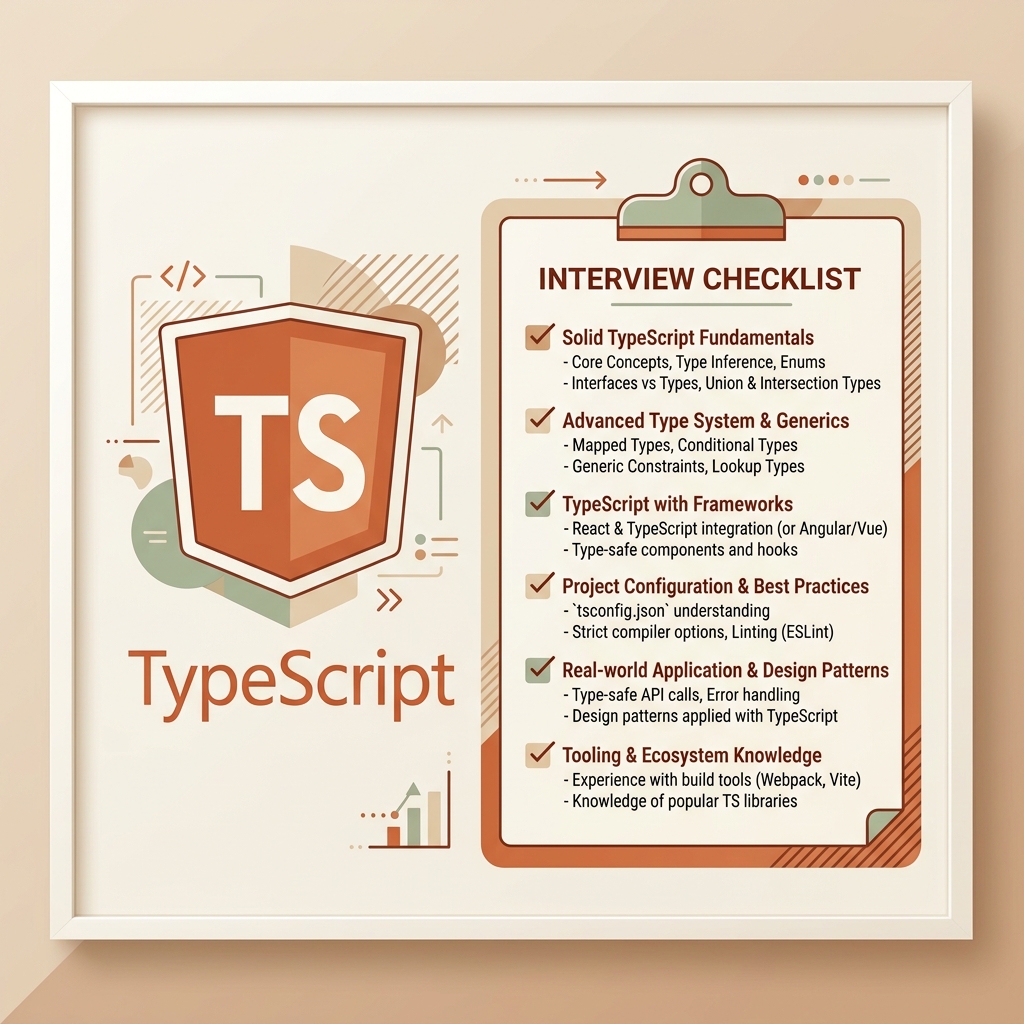
1. The Fundamentals: Interfaces vs. Types
If there's one question you're guaranteed to get, it's this one. It's the classic "tell me you know TypeScript without telling me you know TypeScript" question.
Question: What is the difference between an interface and a type alias in TypeScript, and when would you use one over the other?
The Best Answer:
At a high level, both interface and type can be used to define the shape of an object. For most use cases, they are essentially interchangeable. However, there are a few key differences:
- Declaration Merging: Interfaces support declaration merging. If you define an interface multiple times with the same name, TypeScript will automatically merge them into a single interface. Type aliases do not support this—you'll get an error if you try to redeclare a type.
- Extensibility: Interfaces are better suited for defining object shapes that are meant to be extended or implemented by classes. They are designed specifically for this purpose and often provide better error messages when things go wrong in complex object hierarchies.
- Primitives and Unions: Type aliases can define primitive types, union types, and tuple types. Interfaces are strictly for object shapes (and functions). You can't use an interface to say "this is either a string or a number."
When to use which:
A good rule of thumb is to use interface when defining public APIs, models, or object contracts that might need to be extended later (like extending a third-party library's types). Use type when you need to define unions, intersections, primitives, or complex mapped types.
2. Dealing with the Unknown: any vs. unknown
Ah, the escape hatches. Every developer has used any at least once when they were frustrated, but in an interview, you need to show you know the safer alternative.
Question: Why should you avoid any, and how does unknown provide a safer alternative?
The Best Answer:
Using any essentially turns off the TypeScript compiler for that specific variable. It tells TypeScript, "Trust me, I know what I'm doing," which defeats the whole purpose of using a statically typed language. When you use any, you lose autocomplete, refactoring safety, and type checking.
unknown, on the other hand, is the type-safe counterpart to any. If a variable is of type unknown, TypeScript will force you to perform some kind of type checking (type narrowing) before you can perform operations on it.
let myValue: unknown;
myValue = "hello world";

// This will throw a compilation error because we don't know for sure it's a string yet
// console.log(myValue.length);

// We must narrow the type first
if (typeof myValue === "string") {
    // Now TypeScript knows it's a string
    console.log(myValue.length); // 11
}
By using unknown, you acknowledge that you don't know the type up front (maybe it's coming from a dynamic API payload), but you still retain type safety because TypeScript forces you to validate the shape before using it.

3. The Power of Generics
If you want to show that you're a mid-to-senior level developer, mastering generics is non-negotiable. They are the backbone of reusable code in TypeScript.
Question: Can you explain what Generics are and provide an example of a generic function?
The Best Answer: Generics allow you to write reusable, flexible code that can work over a variety of types rather than a single one. Think of them as variables for types. Instead of hardcoding a specific type, you pass a type parameter when you call the function or instantiate the class.
A classic example is a function that returns the first element of an array.
function getFirstElement<T>(arr: T[]): T | undefined {
    return arr[0];
}

const numbers = [1, 2, 3];
// TypeScript infers T is number, so firstNum is typed as number | undefined
const firstNum = getFirstElement(numbers);

const strings = ["a", "b", "c"];
// TypeScript infers T is string
const firstString = getFirstElement(strings);
In this example, <T> is the type parameter. It allows getFirstElement to capture the type of the array items and use that same type as the return value. This is much better than using any[], which would cause you to lose the type information of the returned element.
Follow-up: Generic Constraints
Interviewers love to push a bit deeper. What if you want to ensure that the generic type has certain properties?
Question: How do you restrict the types that can be passed to a generic?
The Best Answer:
You use generic constraints with the extends keyword. For example, if you have a function that logs the length of an item, you need to ensure the item actually has a .length property.
interface HasLength {
    length: number;
}

function logLength<T extends HasLength>(item: T): void {
    console.log(item.length);
}

logLength("hello"); // OK, strings have length
logLength([1, 2, 3]); // OK, arrays have length
// logLength(42); // Error: number doesn't have a length property
This ensures type safety while maintaining the flexibility of generics.
4. Advanced Types: Utility Types
TypeScript ships with a bunch of incredibly useful built-in types. Knowing these shows that you don't just write custom types from scratch every time, but actually know the standard library.
Question: What are some common Utility Types you use, and what do they do?
The Best Answer: I use utility types all the time to transform existing types without duplicating code. Some of my favorites are:
Partial<Type>: Makes all properties inTypeoptional. This is fantastic for update/patch operations where you might only be sending a subset of the data.Required<Type>: The exact opposite of Partial; it makes all properties required.Pick<Type, Keys>: Creates a new type by picking a specific set of properties from an existingType. Very useful when you want to pass a smaller slice of an object to a UI component.Omit<Type, Keys>: Creates a new type by omitting specific properties. I often use this when I have a database model but want to strip out sensitive fields like passwords before sending it to the client.Record<Keys, Type>: Creates an object type whose property keys areKeysand whose property values areType. It's the cleanest way to type a dictionary or a map.
For example, using Pick and Omit:
interface User {
    id: number;
    username: string;
    email: string;
    passwordHash: string;
}

// Perfect for a public profile component
type PublicProfile = Pick<User, "id" | "username">;

// Perfect for an API response
type SafeUser = Omit<User, "passwordHash">;
5. Type Guards and Narrowing
Understanding how TypeScript narrows types based on runtime checks is crucial for writing robust code that doesn't rely on type assertions (as).
Question: How do you create a custom Type Guard?
The Best Answer:
A custom type guard is a function whose return type is a type predicate. It helps TypeScript narrow down a union type to a specific type within an if block.
Let's say we have a union of Dog and Cat:
interface Bird {
    fly(): void;
    feathers: boolean;
}

interface Fish {
    swim(): void;
    fins: boolean;
}

type Pet = Bird | Fish;

// This is the custom type guard
function isFish(pet: Pet): pet is Fish {
    return (pet as Fish).swim !== undefined;
}

function move(pet: Pet) {
    if (isFish(pet)) {
        // TypeScript knows pet is Fish here
        pet.swim();
    } else {
        // TypeScript knows pet is Bird here
        pet.fly();
    }
}
The magic happens with the pet is Fish return type. When this function returns true, TypeScript narrows the type of pet to Fish in that scope.
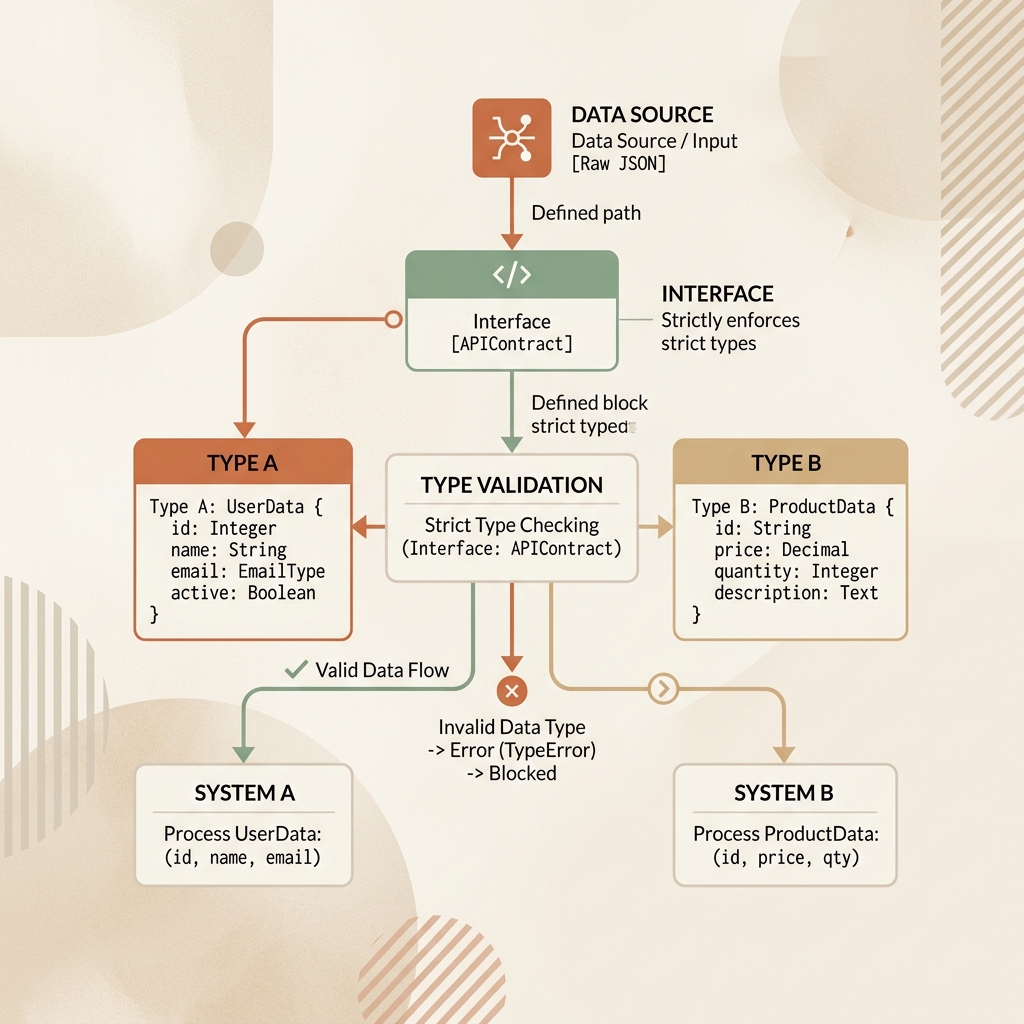
6. The tsconfig.json Setup
Senior interviews will almost always touch on configuration. You need to show you can set up a project from scratch and understand what the compiler is actually doing.
Question: What does strict: true do in your tsconfig.json?
The Best Answer:
Setting "strict": true enables a suite of strict type checking options that result in stronger guarantees of program correctness. It's highly recommended to have this turned on for all new projects.
It acts as an umbrella flag that turns on several other flags automatically, including:
noImplicitAny: Raises an error on expressions and declarations with an impliedanytype. This forces you to be explicit.strictNullChecks: When false,nullandundefinedare effectively ignored by the type checker. When true, they have their own distinct types, preventing "cannot read property of undefined" runtime errors.strictFunctionTypes: Causes functions to be checked more strictly regarding their parameters.strictBindCallApply: Ensures thatbind,call, andapplymethods are invoked with the correct arguments.
If you turn strict: true off, you're losing a lot of the value that TypeScript provides.
7. Enums vs. Union Types
This is a hot topic in the TypeScript community. Some people love Enums, others absolutely despise them. Knowing the pros and cons is a great way to show depth.
Question: What are the drawbacks of using TypeScript Enums, and what is a common alternative?
The Best Answer: While Enums (specifically numeric enums) look familiar to developers coming from languages like C# or Java, they have a few quirks in TypeScript:
- Reverse Mapping: Numeric enums generate reverse mappings at runtime. This means the generated JavaScript isn't just an object, it's slightly bloated.
- Type Safety Quirks: Historically, numeric enums allowed you to assign any number to them, even if it wasn't a valid enum value (though newer TS versions have tightened this).
- Const Enums:
const enumsolves the runtime bloat by inlining the values, but they can cause issues with certain build tools like Babel or isolatedModules.
Because of these quirks, many developers prefer using String Union Types combined with plain JavaScript objects (often created as const).
// Instead of this:
enum Direction {
    Up = "UP",
    Down = "DOWN"
}

// Many prefer this:
const DirectionObj = {
    Up: "UP",
    Down: "DOWN"
} as const;

// This extracts the union type "UP" | "DOWN"
type DirectionType = typeof DirectionObj[keyof typeof DirectionObj];

function move(dir: DirectionType) { /* ... */ }
String unions are often simpler, provide excellent autocomplete, and have zero runtime cost—they compile away completely.
Wrapping Up
Interviewing for a TypeScript role can be daunting, but the key is to remember that the interviewers aren't just looking for syntax memorization. They want to see that you understand the philosophical shift from JavaScript's dynamic nature to TypeScript's strict contracts.
When you practice, don't just focus on how to write the code—focus on explaining why you're writing it that way. Why are you choosing an interface here? Why did you use Omit? Why are you creating a custom type guard?
If you want to practice these concepts in a real-world environment, I highly recommend checking out tools that simulate these kinds of technical challenges. Platforms like totop.app offer gamified ways to test your knowledge, dive deep into system design, and prepare for exactly these types of interviews. The more you use these features in practice, the more natural your answers will flow during the real thing.
Good luck out there. Keep your types strict, avoid any like the plague, and you'll do great!