REST API Interview Questions and Answers: The Ultimate Guide for 2026
I remember sitting across from a very confident candidate a few years back. We were hiring for a senior backend engineer role, and the conversation naturally drifted toward API design. "Oh, I build REST APIs all the time," they said, waving a hand dismissively. "It's just HTTP and JSON."
Ten minutes later, we were deep into a discussion about the difference between a PUT and a PATCH request, and suddenly, the confidence vanished. They fumbled, mixing up idempotency rules and completely blanking on standard HTTP status codes.
That interaction stuck with me. It’s wildly common for developers—even experienced ones—to treat REST (Representational State Transfer) as a loose set of suggestions rather than an architectural style with specific constraints. If you're heading into an interview, whether you're a junior dev or aiming for a staff-level position, you will be asked about REST APIs. And interviewers aren't just looking for textbook definitions; they want to know if you understand the why behind the design.
In this massive guide, we're going to tear down the most common (and the trickiest) REST API interview questions. I’ve broken these down by difficulty so you can prepare exactly what you need. Grab a coffee, because we're going deep.
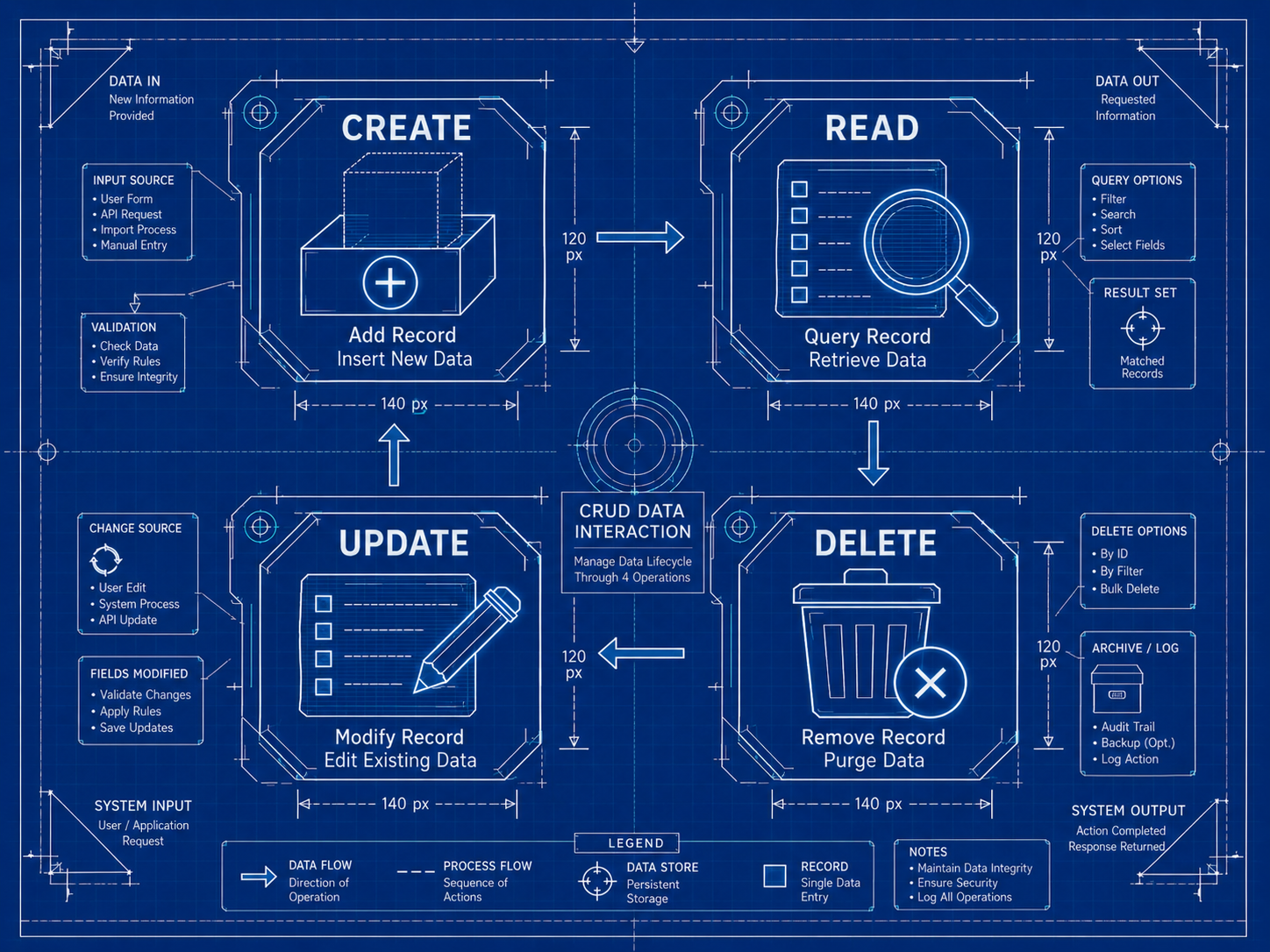
Level 1: The Basics (Don't Trip Here)
These are the warm-up questions. If you mess these up, the interview might wrap up early. You need to answer these clearly, concisely, and accurately.
1. What exactly is REST, and how is it different from HTTP?
The short answer: REST is an architectural style for designing networked applications. HTTP is the protocol that REST APIs typically use to communicate.
The detailed breakdown: REST stands for Representational State Transfer. Introduced by Roy Fielding in his 2000 doctoral dissertation, it's a set of six guiding constraints (which we'll get to in a second). It is not a protocol, a standard, or a library. It is a philosophy for designing software architectures that scale well on the web.
HTTP (Hypertext Transfer Protocol), on the other hand, is the actual vehicle for delivering data. When you build a RESTful API, you are almost always using HTTP as the underlying protocol. You use HTTP methods (GET, POST, etc.) to perform actions on resources, and HTTP status codes to communicate the result.
Think of it this way: HTTP is the alphabet and grammar; REST is the style guide for writing a good book.
2. What are the six core constraints of a REST architecture?
This is a classic "do you know your theory" question. You don't necessarily need to recite them perfectly from memory, but you must understand what each one means in practice.
- Client-Server: The client (e.g., a web browser or mobile app) and the server (the backend) are entirely separate. The client handles the UI and user state; the server handles data storage and processing. They evolve independently as long as the interface between them doesn't break.
- Stateless: This is critical. The server must not store any client context between requests. Every single request from the client must contain all the information necessary for the server to understand and process it. If authentication is needed, the client must send the token with every request.
- Cacheable: Responses from the server must explicitly state whether they can be cached by the client (or an intermediary like a CDN) and for how long. This dramatically improves performance.
- Uniform Interface: This is the hallmark of REST. It means having a consistent way of interacting with resources regardless of what the client is. It involves using standard HTTP methods correctly, using standardized media types (like
application/json), and providing hypermedia links (HATEOAS). - Layered System: A client cannot usually tell if it is connected directly to the end server or to an intermediary along the way (like a load balancer, proxy, or cache). This allows you to scale the backend architecture without changing the client.
- Code on Demand (Optional): Servers can temporarily extend or customize the functionality of a client by transferring executable code (like JavaScript). This is the only optional constraint and is rarely used in modern data APIs.
3. What is a "Resource" in REST?
A resource is the fundamental building block of a REST API. It is any piece of information or concept that can be named and represented. Think of resources as the nouns in your API.
For example, in an e-commerce API, your resources might be users, products, and orders.
You interact with these resources using URIs (Uniform Resource Identifiers). A good REST API uses predictable, noun-based URIs:
GET /users(fetches a list of users)GET /users/123(fetches a specific user)POST /orders(creates a new order)
Notice that the URIs are nouns, not verbs. You should never have endpoints like /getUsers or /createOrder. The HTTP method provides the verb; the URI provides the noun.
Level 2: The HTTP Methods
Now we're moving from theory to implementation. Interviewers love probing your understanding of HTTP methods because it immediately reveals if you've actually built robust APIs.
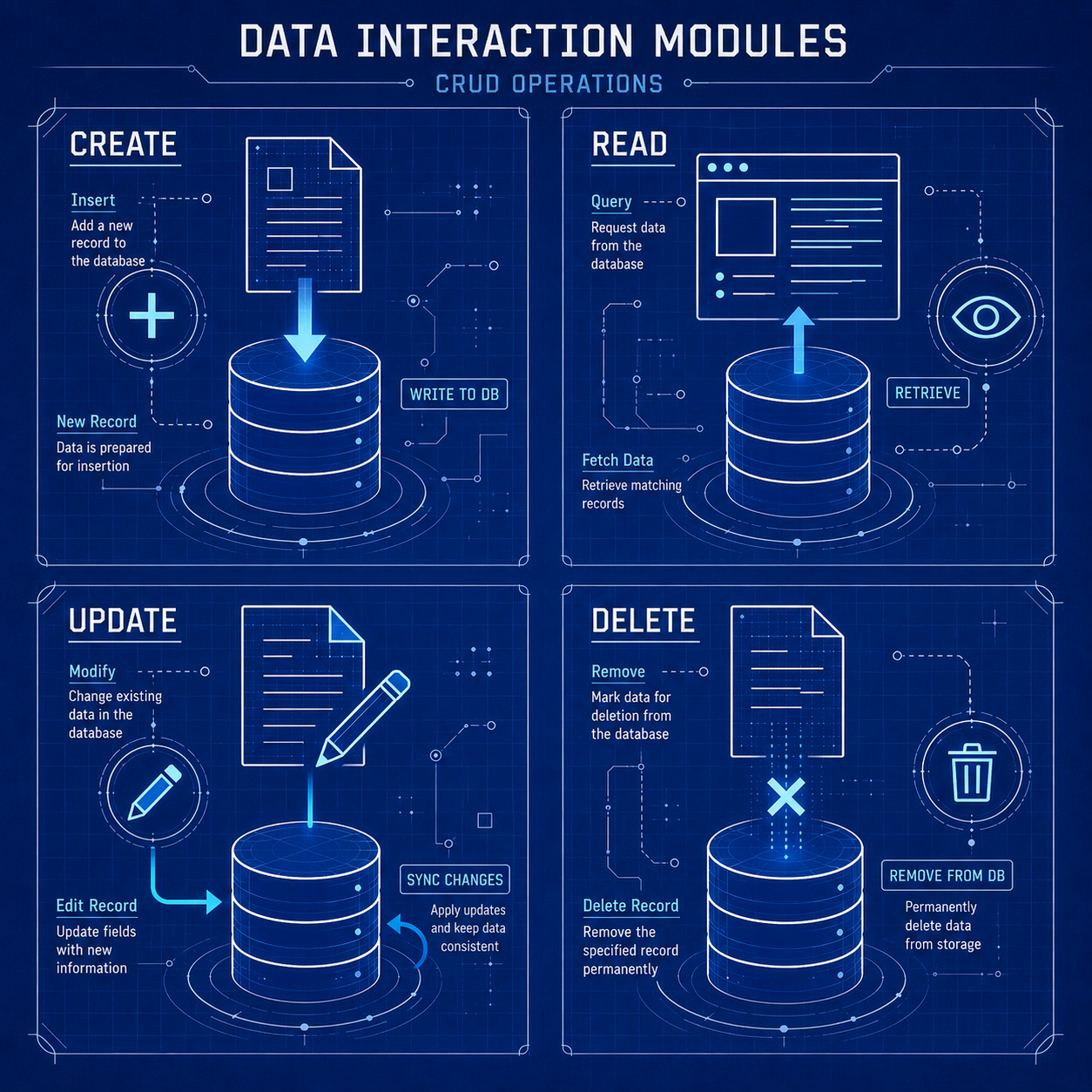
4. Explain the difference between PUT and PATCH.
If I had a dollar for every time someone got this wrong, I could probably fund my own startup. This is easily the most misunderstood concept in REST.
PUTis for full replacement. When you send aPUTrequest to a resource URL (e.g.,/users/123), you are telling the server, "Replace whatever is currently at this URL with the payload I am sending you." If you omit a field in yourPUTpayload, the server should delete that field or set it to null.PATCHis for partial updates. When you send aPATCHrequest, you are sending a set of instructions on how to modify the resource. If you only send theemailfield in aPATCHrequest, the server updates only the email and leaves thename,age, and other fields completely untouched.
Interview Pro-Tip: If the interviewer asks when you should use which, say that PATCH is generally preferred for mobile clients or high-traffic APIs where bandwidth matters, because you're sending smaller payloads. PUT is useful when you have a simple client that just syncs entire objects.
5. What does "Idempotent" mean in the context of REST APIs?
Idempotency is a mathematical concept applied to computer science. In REST, an HTTP method is idempotent if making the same request multiple times has the exact same effect on the server's state as making it a single time.
Why does this matter? Because networks are flaky. If a client sends a request, and the connection drops before receiving a response, the client needs to know if it's safe to retry that request without causing duplicate data or weird side effects.
Let's categorize the HTTP methods:
- Idempotent:
GET: Fetching data 100 times doesn't change anything on the server.PUT: Overwriting a resource with the exact same payload 100 times leaves the resource in the exact same state as doing it once.DELETE: Deleting a resource might return a200 OKthe first time and a404 Not Foundthe 99 subsequent times, but the state of the server remains the same (the resource is gone).HEAD,OPTIONS,TRACE.
- NOT Idempotent:
POST: If you send aPOST /ordersrequest 10 times, you will create 10 separate orders. It is absolutely not safe to automatically retry a failedPOSTrequest without checking if the first one actually succeeded.PATCH: Usually not idempotent. If yourPATCHpayload is{"increment_counter": 1}, running it 10 times increments the counter by 10.
6. What is a "Safe" method?
A safe method is an HTTP method that does not modify the state of the server at all. It is strictly read-only.
- Safe Methods:
GET,HEAD,OPTIONS. - Unsafe Methods:
POST,PUT,PATCH,DELETE.
Note that all safe methods are idempotent, but not all idempotent methods are safe (e.g., PUT and DELETE change the server state, so they are unsafe, but they are idempotent).
Level 3: Status Codes and Error Handling
How an API tells the client what happened is just as important as how the client asks for things. An API that returns a 200 OK for an error with { "status": "error", "message": "User not found" } in the payload is an architectural nightmare.
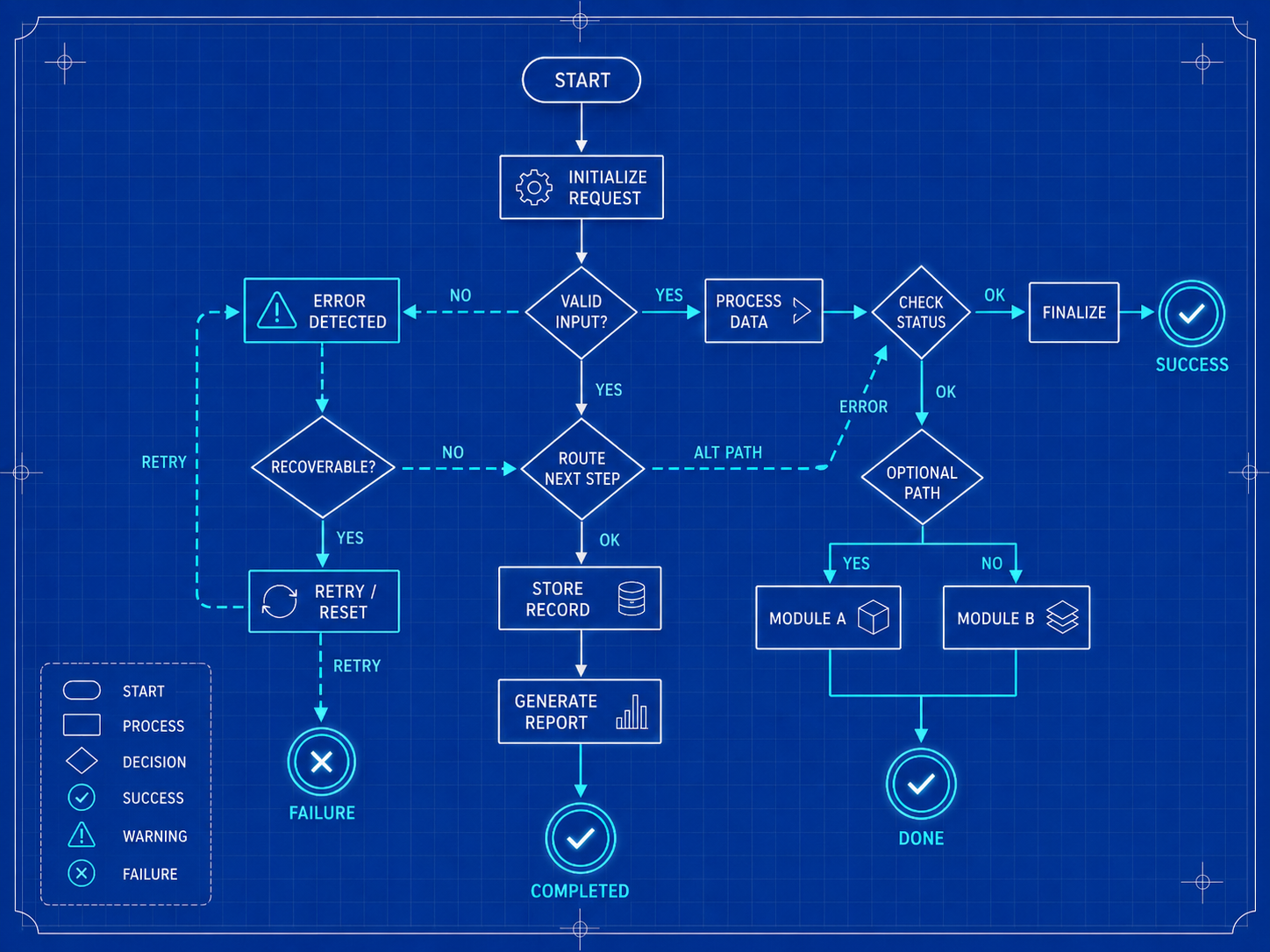
7. Break down the five families of HTTP status codes.
You should know these categories instinctively:
- 1xx (Informational): The request was received, continuing process. (Rarely dealt with directly in REST development).
- 2xx (Successful): The request was successfully received, understood, and accepted.
- 3xx (Redirection): Further action needs to be taken by the user agent in order to fulfill the request.
- 4xx (Client Error): The client messed up. The request contains bad syntax or cannot be fulfilled. If the client retries the exact same request, it will fail again.
- 5xx (Server Error): The server failed to fulfill an apparently valid request. The client might succeed if they retry later.
8. What is the difference between 401 Unauthorized and 403 Forbidden?
This is a classic trap question.
401 Unauthorizedactually means "Unauthenticated." The client has not provided valid authentication credentials for the target resource. In human terms: "I don't know who you are. Please log in."403 Forbiddenmeans "Unauthorized." The client's identity is known, but they do not have the necessary permissions to access the resource. In human terms: "I know exactly who you are, Bob, but you are a standard user and you cannot access the admin dashboard."
9. When would you return a 201 vs a 202?
201 Created: This should be returned when aPOSTrequest successfully results in the creation of a new resource. The response should ideally include aLocationheader pointing to the URL of the newly created resource.202 Accepted: This is used for asynchronous processing. It tells the client, "I've received your request and validated it, but I haven't finished processing it yet." This is essential for long-running tasks like generating a massive report or processing a video file. You usually return a URL where the client can poll to check the status of the job.
10. How should an API handle validation errors?
Returning a 400 Bad Request is a good start, but it's not enough. A great API provides actionable feedback. If a user submits a form with a missing email and a password that's too short, the API shouldn't just say "Bad Request." It should use a standard format (like RFC 7807 Problem Details) to tell the client exactly which fields failed.
{
  "type": "https://api.example.com/errors/validation-error",
  "title": "Your request parameters didn't validate.",
  "status": 400,
  "invalid_params": [
    {
      "name": "email",
      "reason": "Must be a valid email address"
    },
    {
      "name": "password",
      "reason": "Must be at least 12 characters long"
    }
  ]
}
If you bring up RFC 7807 in an interview, you're getting bonus points.
Level 4: API Design and Architecture
Now the interviewer wants to see how you architect solutions to common problems.
11. How do you handle API Versioning?
APIs evolve. You will eventually need to make a breaking change (like changing the type of a field from a string to an object, or removing a field entirely). How do you do this without breaking thousands of mobile apps that haven't updated yet? You version your API.
There are three main approaches you should discuss:
- URI Versioning (Most Common):
GET /v1/usersvsGET /v2/usersPros: Extremely visible, easy to route at the infrastructure level (e.g., using an API Gateway to route/v1/to legacy servers). Cons: Technically violates the REST principle that a URI represents a resource, not a version of a resource. The user is the same user regardless of the version. - Query Parameter Versioning:
GET /users?version=2Pros: Easy to implement. Cons: Can make routing slightly more complex; URLs look messy. - Header Versioning (Content Negotiation):
You pass the version in an
Acceptheader, e.g.,Accept: application/vnd.company.v2+json. Pros: The most "pure" RESTful approach. The URI remains clean and strictly represents the resource. Cons: Harder to test manually (you can't just type it into a browser bar), and more complex to route in load balancers.
What to say: "I usually prefer URI versioning (/v1/) for public APIs because developer experience is paramount, and it's the easiest for consumers to understand and test. However, for strict internal microservices, Header versioning is architecturally cleaner."
12. How do you handle Pagination?
Returning 50,000 users in a single API call is a great way to crash your server and run up the client's memory. You must paginate collections.
The two main strategies are:
- Offset/Limit (or Page/Size):
GET /users?page=2&size=50(or?offset=50&limit=50) Pros: Easy to implement using SQLOFFSETandLIMIT. Easy for clients to jump to specific pages. Cons: Terrible performance on massive datasets. As the offset grows (e.g.,OFFSET 1000000), the database still has to scan and discard the first million rows. It's also susceptible to data drift (if items are inserted/deleted while a user is paginating, they might see duplicates or miss items). - Cursor-based Pagination (The preferred way for large datasets):
GET /users?after=eyJpZCI6MTIzfQ==&limit=50Instead of an offset, the client provides a "cursor" (often an encoded opaque string representing the last item they saw, like a base64 encoded timestamp and ID). The server then queriesWHERE id > last_seen_id LIMIT 50. Pros: Extremely fast regardless of depth because it leverages database indexes directly. Immune to data drift. Cons: Harder to implement. You can't say "jump to page 45". You can only go "next" or "previous".
13. What is HATEOAS?
HATEOAS stands for Hypermedia as the Engine of Application State. It is the final, most complex constraint of REST, and the one that almost nobody actually implements (which is why most APIs are technically "RESTish", not fully RESTful).
In a mature REST API, the client shouldn't need to hardcode URLs to navigate the system. Instead, every response should contain hypermedia links that tell the client what actions are currently possible based on the state of the resource.
Imagine fetching a bank account GET /accounts/123.
If the balance is positive, the API might return links for deposit, withdraw, and transfer.
If the balance is overdrawn, the API might only return a link for deposit.
{
  "account_id": "123",
  "balance": -50.00,
  "status": "overdrawn",
  "links": {
    "self": "/accounts/123",
    "deposit": "/accounts/123/deposits"
  }
}
The client doesn't need to write logic like if (balance < 0) disable_withdraw_button(). The client simply renders buttons based on the links provided by the server. The state of the application is driven entirely by the hypermedia provided by the API.
Level 5: Security and Performance
A slow, insecure API is worse than no API at all.
14. How do you secure a REST API?
Security is multi-layered. You should mention several of these:
- HTTPS (TLS/SSL): Absolutely mandatory. Never send data over plain HTTP.
- Authentication: Verifying the user's identity. Typically done using JWTs (JSON Web Tokens) passed in the
Authorization: Bearer <token>header, or using OAuth 2.0 flows. - Authorization: Checking if the authenticated user has permission to do the action (e.g., Role-Based Access Control).
- Rate Limiting / Throttling: Preventing DDoS attacks and brute-force attempts by limiting how many requests a specific IP address or API key can make within a time window (e.g., returning
429 Too Many Requests). - Input Validation: Never trust client data. Sanitize and validate all inputs to prevent SQL injection and Cross-Site Scripting (XSS).
- CORS (Cross-Origin Resource Sharing): Configuring headers to ensure your API only accepts requests from approved front-end domains.
15. What is a JWT and how does it work?
A JSON Web Token (JWT) is a compact, URL-safe means of representing claims to be transferred between two parties. It is stateless.
A JWT consists of three parts separated by dots (xxxxx.yyyyy.zzzzz):
- Header: Contains the algorithm used to sign the token (e.g., HMAC SHA256).
- Payload: Contains the "claims" (the actual data, like user ID, roles, and expiration time).
- Signature: Created by taking the encoded header, the encoded payload, a secret key known only to the server, and signing it.
How it works: When a user logs in, the server generates a JWT and sends it to the client. For subsequent requests, the client sends this JWT. The server doesn't need to look up the user in a database session table; it simply verifies the signature using its secret key. If the signature is valid, the server trusts the payload data.
The catch: You cannot easily revoke a stateless JWT before its expiration time. If a token is stolen, the attacker can use it until it expires. (This is why tokens should have short lifespans, paired with longer-lived refresh tokens).
16. How do you optimize the performance of a slow REST API?
Performance optimization is a massive topic. Start with the lowest hanging fruit:
- Database Queries: 90% of API slowness is the database. Add indexes to frequently queried columns. Fix N+1 query problems (e.g., fetching a list of 50 users, and then making 50 separate queries to fetch their profile pictures). Use eager loading.
- Caching:
- Client-side caching: Use
Cache-ControlandETagheaders so clients don't re-fetch data that hasn't changed. - Server-side caching: Use Redis or Memcached to store the results of expensive database queries or heavy computations.
- Client-side caching: Use
- Pagination and Filtering: Never return huge lists. Force pagination. Let the database do the filtering, not the application code.
- Payload Size: Use gzip or brotli compression on responses. Only select the database columns you actually need. Consider implementing Sparse Fieldsets (e.g.,
GET /users?fields=id,nameto let the client request only specific fields). - Asynchronous Processing: Move heavy tasks (sending emails, processing images) out of the HTTP request lifecycle. Return a
202 Acceptedand offload the work to a message queue like RabbitMQ or Kafka.
Level 6: The "Architect" Scenarios
At a senior level, interviewers stop asking definitions and start posing scenarios. They want to see how you think on your feet.
17. Scenario: "We have an endpoint GET /dashboard-stats that aggregates data from five different microservices. It currently takes 8 seconds to load. How do you fix it?"
How to answer: This is a classic microservice aggregation problem.
- Acknowledge the problem: The API is doing sequential, blocking calls to five services.
- Immediate fix: Make the calls asynchronously in parallel. If you're in Node.js, use
Promise.all(). If you're in Go, use goroutines. This brings the time down to the slowest single service. - Better fix (Caching): Dashboard stats rarely need to be real-time to the millisecond. Cache the aggregated response in Redis with a TTL of 5 minutes.
- Architectural fix (Event-Driven): If the stats are heavy to compute, invert the flow. Have the five microservices emit asynchronous events (e.g.,
UserCreated,OrderPlaced) to a message broker. Build a dedicated "Dashboard Materialized View" service that listens to these events and constantly updates a highly optimized, pre-calculated database table. TheGET /dashboard-statsendpoint just does a lightning-fastSELECT *from that single table.
18. Scenario: "You need to build an API for bulk updating 10,000 records at once. A single PATCH request with a massive JSON array keeps timing out. What do you do?"
How to answer: Standard REST struggles with massive bulk operations over a single synchronous connection.
- Shift to Asynchronous Processing: Change the endpoint from a synchronous update to a job submission.
- The Flow: The client uploads the payload (perhaps as a CSV or JSON Lines file if it's huge) to a storage bucket or via a
POST /jobs/bulk-updateendpoint. - The Response: The server immediately returns a
202 Acceptedand aLocationheader pointing to/jobs/12345. - The Background Worker: A background worker (e.g., using Celery or BullMQ) picks up the file, parses it, and processes the updates in chunks.
- Polling/Webhooks: The client polls
/jobs/12345to see the status (pending,processing,completed), or the server sends a webhook/WebSocket event when the job is done.
19. When would you choose GraphQL or gRPC over REST?
A great engineer knows the limits of their tools. REST is fantastic for general-purpose, public-facing, resource-based APIs. But it's not a silver bullet.
- When to choose GraphQL: When you have complex mobile clients that need varying shapes of data from a deeply connected graph, and you want to avoid "Over-fetching" (getting 50 fields when you only need 2) or "Under-fetching" (having to make 5 separate REST calls to gather related data). GraphQL lets the client specify exactly what they want in a single request.
- When to choose gRPC: When you are building internal, server-to-server microservice communication. gRPC uses Protocol Buffers (binary payload instead of JSON) and HTTP/2, making it exponentially faster, lighter, and strictly typed compared to REST.
Final Thoughts Before Your Interview
Preparing for an API interview isn't just about memorizing status codes; it's about demonstrating empathy for the developers who will consume your API. A great REST API is predictable, secure, fast, and documented.
When you answer these questions, always anchor your answers in real-world trade-offs. Don't just say "I use cursor pagination." Say, "I use cursor pagination because in my last project, offset pagination was causing severe database locks on tables with millions of rows." That context is what turns a candidate into a hire.
If you're gearing up for technical interviews, mock practice is essential. Check out the tools and environment simulations at totop.app to refine your system design and coding skills in a pressure-free setting. Good luck out there!