Java Collections Framework Interview Deep Dive: Master the Internals
I still remember my first real technical interview for a mid-level Java engineering role. I was confident. I had built enterprise applications, hooked up Spring Boot services, and written hundreds of SQL queries. But ten minutes in, the interviewer stopped asking about my projects and asked a simple question:
"How does a HashMap work internally in Java 8, and what happens when two different keys produce the same bucket index?"
I gave a high-level answer about hashing and linked lists, but as they pushed deeper—asking about load factors, bitwise resizing operators, and red-black trees—my answers grew fuzzy. I realized there is a massive gap between using collections and truly understanding the mechanics under the hood. Needless to say, I didn't get that job. But it forced me to dissect the Java Collections Framework (JCF) down to the bytecode level.
If you are preparing for a Java interview, you will not just be asked to choose between a List and a Set. Interviewers want to see if you understand memory layouts, time complexities, thread safety, and how your collection choice impacts performance at scale.
Let's dive deep into the internals of the Java Collections Framework so you can ace these questions with absolute confidence.
The Architectural Blueprint of the Collections Framework
Before we look at individual classes, we must understand the high-level hierarchy. The Java Collections Framework is designed around a set of core interfaces.

At the root of the hierarchy (excluding Map) is the Iterable<T> interface. This interface allows an object to be target of the enhanced for-each loop. It exposes a single abstract method, iterator(), which returns an Iterator<T> that can traverse the elements.
Directly extending Iterable is the Collection<E> interface. This serves as the container for a group of elements, defining basic operations like add(), remove(), size(), isEmpty(), and contains().
From Collection, we branch into three major sub-interfaces:
List<E>: An ordered collection (also known as a sequence). Lists allow precise control over where each element is inserted and support access by integer index.Set<E>: A collection that cannot contain duplicate elements. It models the mathematical set abstraction.Queue<E>/Deque<E>: Collections designed for holding elements prior to processing. Typically, they order elements in a FIFO (first-in-first-out) or LIFO (last-in-first-out) manner.
The Outlier: Why Map is Independent
A common interview question is: "Why does the Map interface not extend Collection?"
The answer lies in the fundamental model of the data structures:
- A
Collectionoperates on a sequence or group of individual, standalone elements of typeE. - A
Mapoperates on key-value pairs (Map.Entry<K, V>).
The method signatures are fundamentally incompatible. For example, Collection.add(E element) takes a single parameter, whereas Map.put(K key, V value) requires two. Trying to force Map to extend Collection would result in a broken interface contract with many methods throwing UnsupportedOperationException.
Instead, Map stands as its own independent hierarchy, though it provides "collection views" via keySet(), values(), and entrySet() to interoperate smoothly with the rest of the framework.
List vs. Set: Beyond the Basics
In daily coding, choosing between a List and a Set is simple: if you need duplicates or ordering, use a List; otherwise, use a Set. But in an interview, you must explain the architectural and memory differences behind their most common implementations: ArrayList and HashSet.
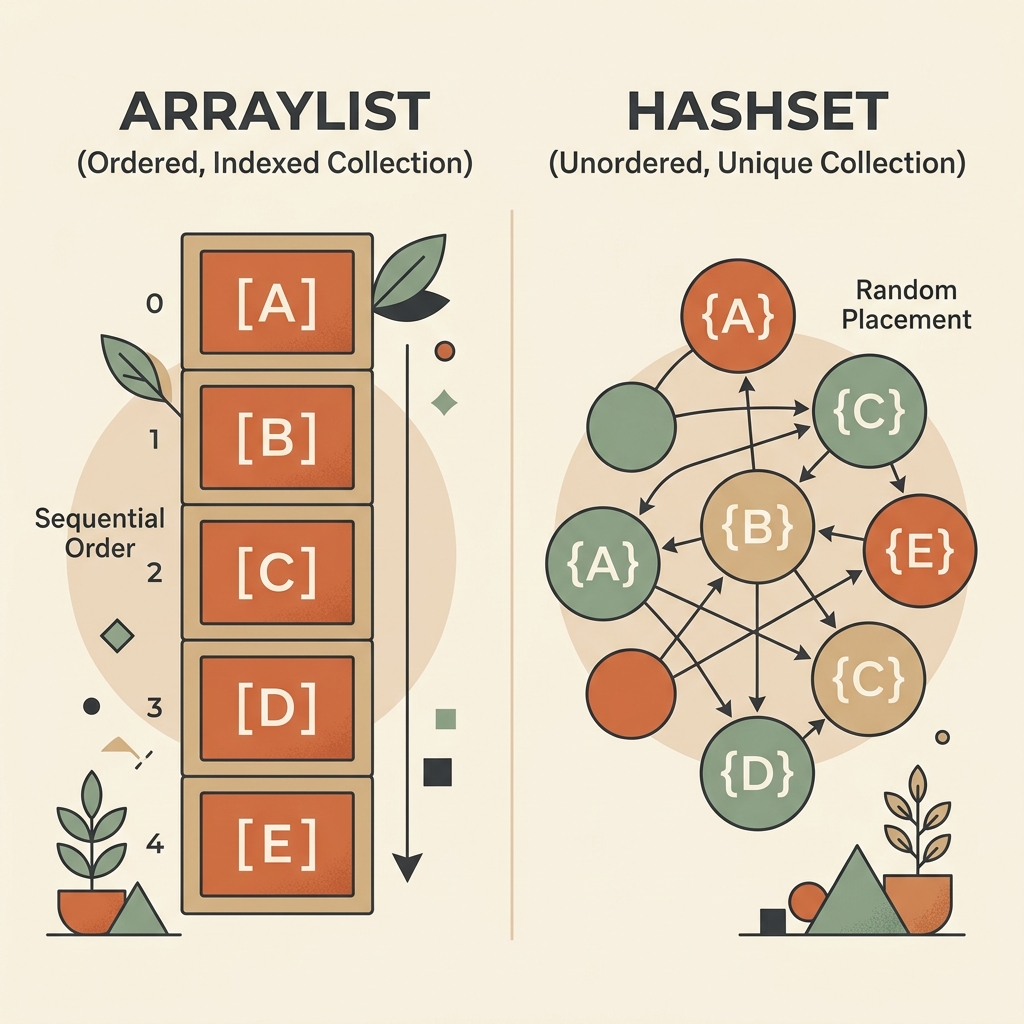
ArrayList: Internals and Dynamic Resizing
An ArrayList is backed by a simple, native Java array (Object[] elementData). This design provides $O(1)$ random access time. If you know the index, finding the element is a direct memory address calculation.
But arrays in Java are fixed in size. How does ArrayList grow dynamically?
When you instantiate a default ArrayList, it initializes with an empty array. Upon adding the first element, it expands to a default capacity of 10.
When the size reaches capacity, the ArrayList grows using a growth formula:
$\text{New Capacity} = \text{Old Capacity} + (\text{Old Capacity} \gg 1)$
The right shift operator >> 1 divides the capacity by 2. Thus, the list increases its size by 50% (a growth factor of 1.5).
This resizing operation is expensive:
- A new array of the larger size is allocated in heap memory.
System.arraycopy()is called to copy all existing references from the old array to the new one.- The old array is orphaned and left for garbage collection.
Pro Tip: If you know you will store 10,000 items in an ArrayList, always instantiate it with new ArrayList<>(10000). This pre-allocates the memory and prevents several costly resizing and copying iterations.
HashSet: A Map in Disguise
A HashSet guarantees uniqueness, but how does it achieve $O(1)$ lookup and insertion?
Under the hood, a HashSet is nothing more than a wrapper around a HashMap. When you look at the source code of java.util.HashSet, you see this:
public class HashSet<E> extends AbstractSet<E> implements Set<E> {
    private transient HashMap<E, Object> map;

    // Dummy value to associate with an Object in the backing Map
    private static final Object PRESENT = new Object();

    public HashSet() {
        map = new HashMap<>();
    }

    public boolean add(E e) {
        return map.put(e, PRESENT) == null;
    }

    public boolean contains(Object o) {
        return map.containsKey(o);
    }
}
Every time you add an element to a HashSet, it is placed into the backing HashMap as a key, with a constant dummy Object (PRESENT) as the value. Since a Map key must be unique, the HashSet automatically inherits this uniqueness.
HashMap Internals: The Ultimate Interview Question
If you prepare for only one question, make it this one. Let’s walk through exactly how a HashMap stores, locates, and manages key-value pairs.

A HashMap is built on a hash table structure: an array of buckets (Node<K,V>[] table). When you call put(key, value), three major steps occur:
1. Hash Code Optimization (The Hash Function)
Java first obtains the key's native hash code by calling key.hashCode(). To protect against poorly written hash functions that might cluster around the same values, HashMap applies a supplementary helper function to distribute the bits more evenly:
static final int hash(Object key) {
    int h;
    return (key == null) ? 0 : (h = key.hashCode()) ^ (h >>> 16);
}
This operation performs a XOR (^) between the original hash code and its unsigned right shift by 16 bits (h >>> 16). This mixes the high-order bits of the hash into the low-order bits, reducing collision rates on small bucket array sizes.
2. Calculating the Bucket Index
Once the optimized hash is calculated, HashMap maps it to an index in the bucket array. Since the array capacity is always a power of two (